
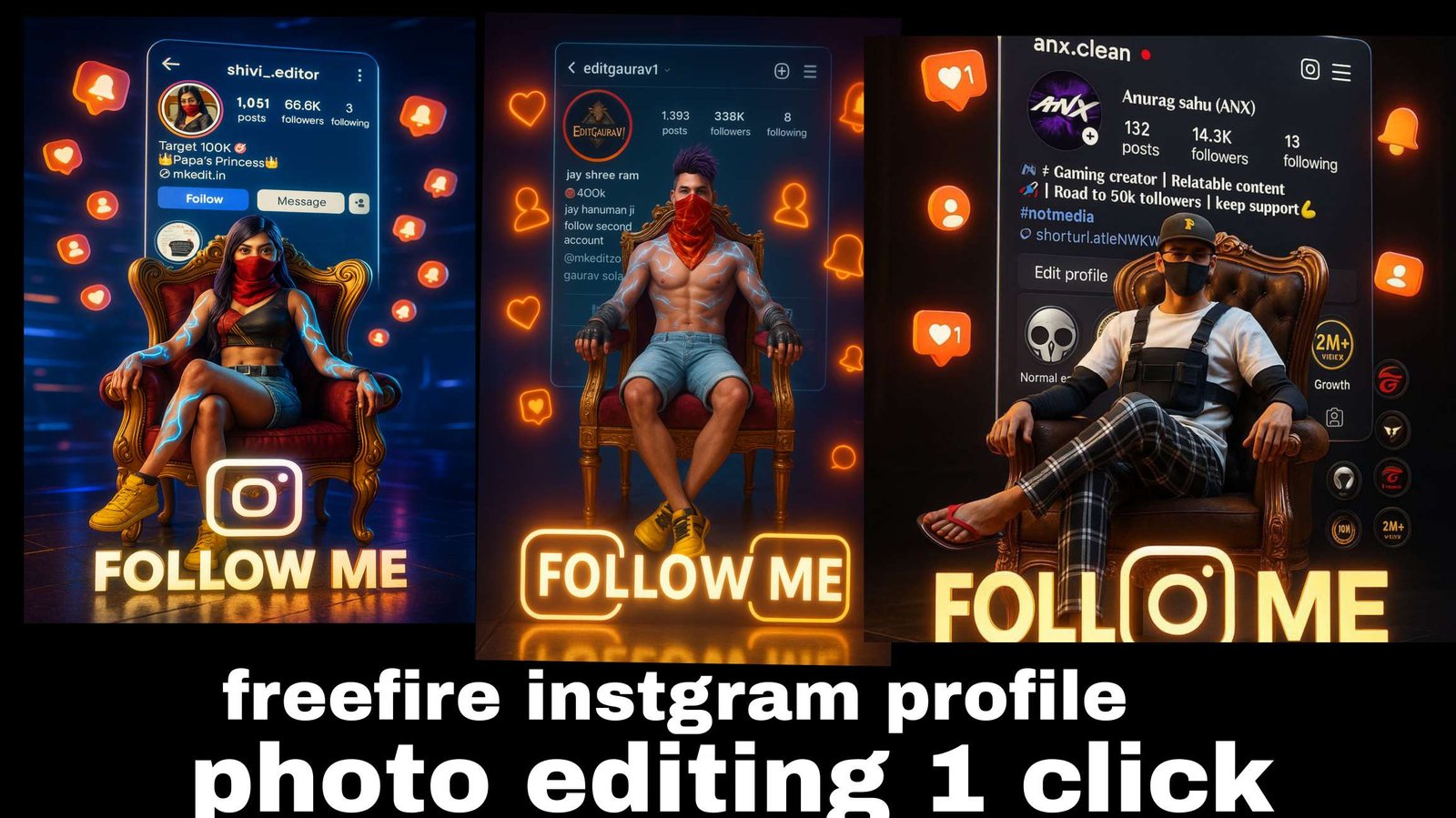
Chatgpt Free Fire Ai Photo Editing Prompts – You all know that whatever Instagram trending reel goes viral, we share their editing with you. So that you can create that kind of video in a very good way. You must have seen that a lot of deals are going viral on Instagram in a new way. In which people are doing different free fire editing. You know that the audience of free fire is so huge. If you want a video. Then the photo can easily go viral. If after seeing your photo, it seems that they can also create that photo like this. It can definitely happen and I will tell you that you can also teach them. Along with this, you can also learn yourself. How can you create such a photo. If you want the rest of the details of the photo, then I am explaining
Info – Chatgpt Free Fire Ai Photo Editing Prompts
Now let’s talk about the details of editing, what is it that people are liking this type of editing for. There is something in which their own personal thing is added to it, only then it goes viral. Like if you see in this image, here first of all you will see your name. Along with this, you will see an ID here. Which is the ID of this game. Whose name is Free Fire and in this game you have to use the screenshot of your ID. Along with this, you can use your favorite character.
In place of that, if you want, you can also use your own photo. How to do this. That is what I am going to tell about it, here I have given the details of the image that this type of your image is going to be created. I have also shown you by putting the image here. Like this you can create it
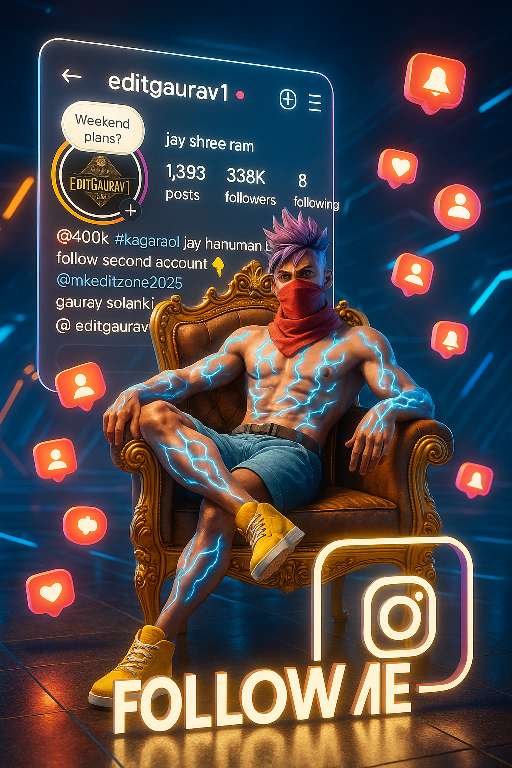
prompt⤵️
A hyper-realistic 4K 3D-rendered digital artwork of a Free Fire character (as shown in the reference image: shirtless with glowing blue lightning tattoos on arms, wearing light blue shorts, yellow sneakers, red scarf mask, and purple spiky hair). The character is sitting confidently on a luxurious golden throne with velvet cushions in a futuristic cyber arena. His legs are crossed casually, arms resting on the throne’s armrests, and fingers relaxed, with a calm yet powerful expression.Behind the throne, a large holographic Instagram profile screen of the username @editgaurav1 is displayed, showing all profile details exactly as in the reference image (posts, followers, following, bio, and icons clearly visible and readable).Around the scene, floating 3D glowing Instagram icons (hearts, followers, notification bells) drift with soft motion blur and glowing trails. The lighting is cinematic and dramatic, with realistic depth of field, glowing reflections, and sharp shadows adding intensity.At the bottom, inside a white Instagram-logo-shaped border, place large bold 3D text “FOLLOW ME” with a glowing neon gradient from white to yellow, casting reflections on the floor.
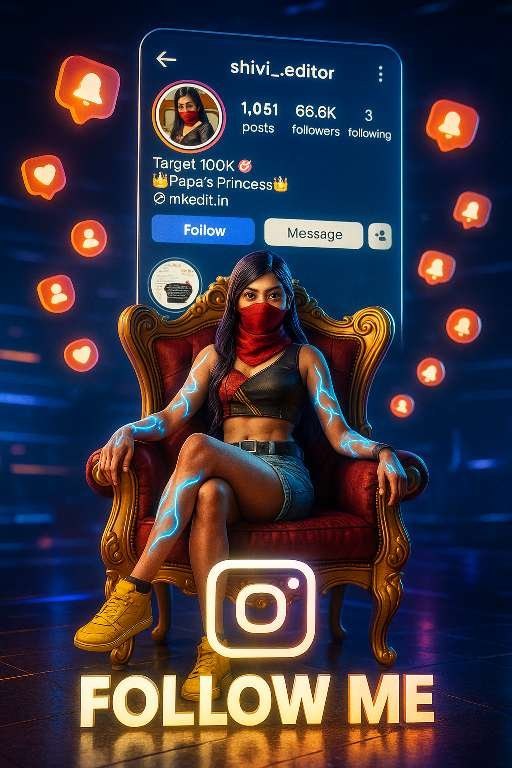
prompt⤵️
A hyper-realistic 4K 3D-rendered digital artwork of a Free Fire–inspired female character (reference: stylish girl with glowing blue lightning tattoos on arms, wearing a futuristic cropped top, light blue shorts, yellow sneakers, red scarf mask, and long flowing purple hair).The girl is sitting confidently on a luxurious golden throne with velvet cushions in a futuristic cyber arena. Her legs are crossed elegantly, one hand resting lightly on the throne’s armrest while the other hand rests on her knee, fingers relaxed, with a calm yet powerful expression.Behind the throne, a large holographic Instagram profile screen of the username @editgaurav1 is displayed, showing all profile details exactly as in the reference image (posts, followers, following, bio, and icons clearly visible and readable).Around the scene, floating 3D glowing Instagram icons (hearts, followers, notification bells) drift with soft motion blur and glowing trails. The lighting is cinematic and dramatic, with realistic depth of field, glowing reflections, and sharp shadows adding intensity.At the bottom, inside a white Instagram-logo-shaped border, place large bold 3D text “FOLLOW ME” with a glowing neon gradient from white to yellow, casting reflections on the floor.
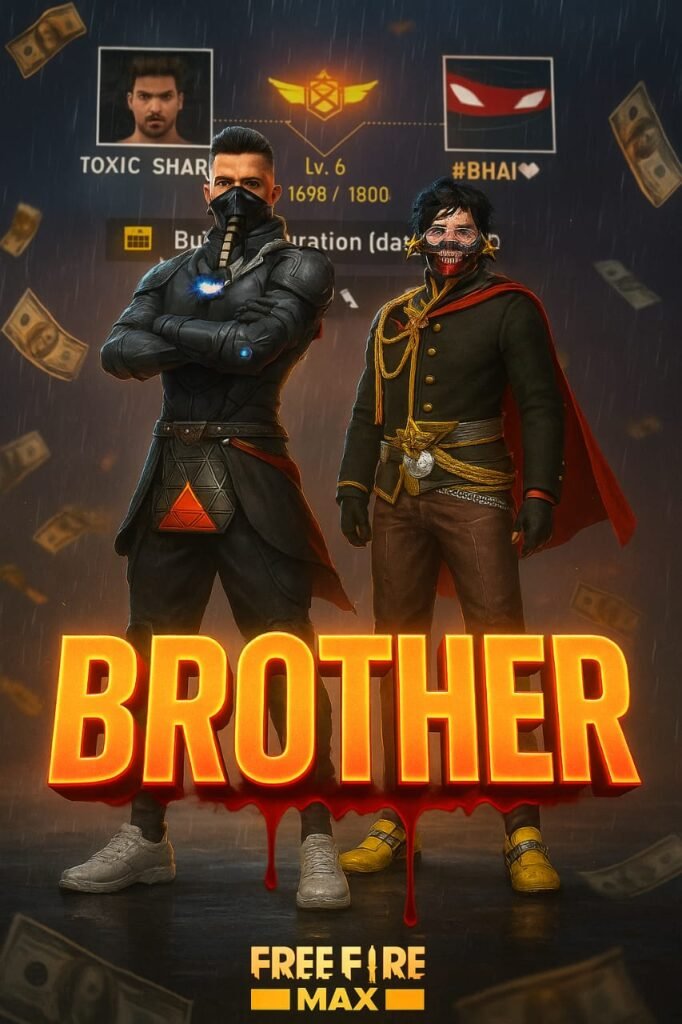
prompt⤵️
Create a cinematic digital poster for a Free Fire MAX player. In the background, clearly display the uploaded profile screenshot without hiding or blurring any part. The image should remain sharp and readable every detail that naturally appears in the profile (such as stats, icons, text, badges numbers, tags, button) must be fully visible and understandable to the viewer. In the foreground, place the uploaded character image standing in a pirate flag pose full confidance-. Add a dramatic rain, flying money, cinematic glow, and soft shadows to enhance the atmosphere. Use contrast to make sure both the character and the profile are clearly visible and not overlapping confusingly. In the centre of the poster overlay bold, glowing, 3D gaming-style text “BROTHER” with a bleeding black red blood and blood must come from text to down side floating gradient
Image You Use
Look, now I have told you about the details here and I am also telling you what kind of image is being used in it. Here you can create it in two types of styles. First, the name that you will see in it. You can add that name in it. That will work. No problem, if you want to take a screenshot, then you have to go to the profile option in your free fire. There you take a screenshot of it and it is okay. Then after that you can use it. Second, you have another option.
You have to upload another photo here. You can upload the photo of your character. You can upload the photo of whatever character you have in the game. You have another option, instead of that you can also upload your own photo. That will also work because people are doing that kind of editing as well. That is also going viral.
How To Use Chatgpt Free Fire Ai Photo Editing Prompts
Now you can copy any of the prompts we have provided, with which you can do a good editing. So copy the prompt we have given here and after that upload the image in chatgpt. As I have told you to upload the image. Upload the image there. Then paste the prompt and just click on the generate option. Your image. You will make and be ready, and I think that this image will be ready after you make your image. It is possible that the face in it may be mismatched. If you have uploaded your photo in place of character. If you have uploaded character then there is no problem, it will work. But if the face is mismatched. You can use app for that. With which your face will be fixed.
Overall
And if you want, you can also record the screen of this thing and upload the video of the process explained by me. This also works quite well and our video can also go viral with this, so these were some simple details about which if you want to do editing then you can do it easily.
About me-
Mkedit.in, and my real name is gaurav solanki. I’m a social media influencer and a full-time YouTuber with over 30k subscribers. or 500k followers in instagram I create content about photo editing, reel video editing, and CapCut templates, and bing image creating prompts,which I share on my Instagrams