
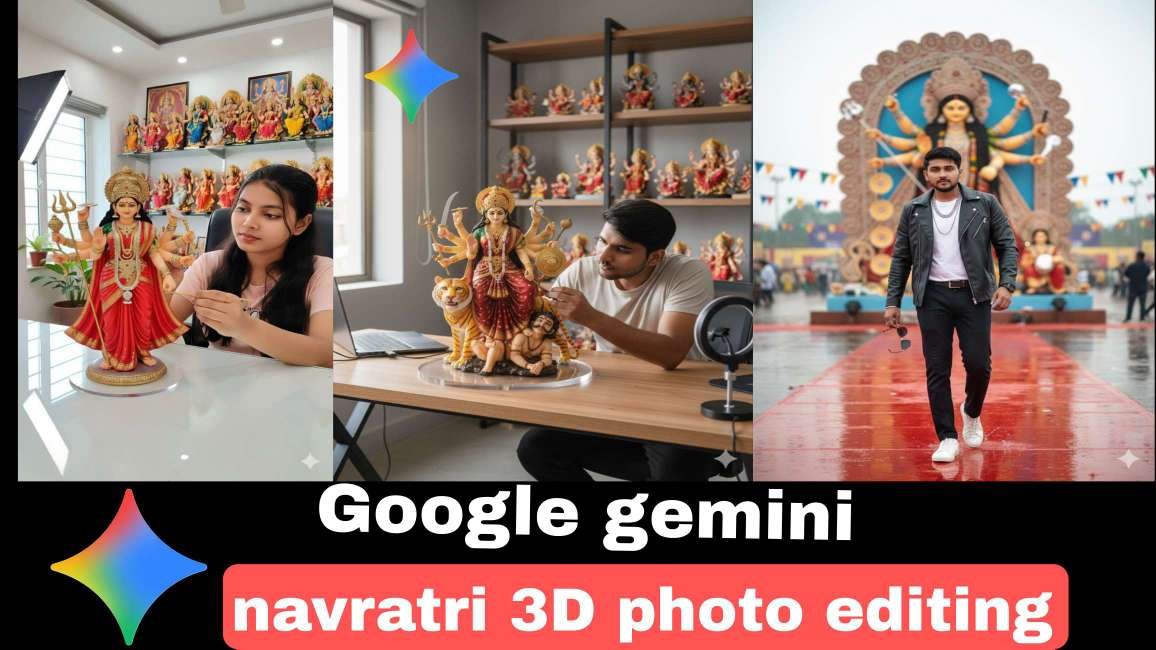
Navratri is one of the most celebrated festivals in India, filled with colors, lights, traditional outfits, and energetic Garba and Dandiya nights. With the growing popularity of AI tools, photo editing during Navratri has reached a whole new level. One such trending tool is Google Gemini AI, which allows users to create stunning 3D Navratri special photo edits using simple text prompts.In this blog, we will share complete details about Google Gemini Navratri 3D photo editing prompts, how to use them, and SEO-friendly tips for making your images go viral on social media.
What is Google Gemini AI?
Google Gemini AI is an advanced artificial intelligence tool that can generate realistic 3D images, edits, and photo manipulations using text prompts. Just by typing a detailed description, you can create high-quality Navratri festival-themed pictures for Instagram, Facebook, or WhatsApp status.
How to Create a Google Gemini Photo – Step by Step Guide
Google Gemini is one of the most advanced AI tools from Google that lets you create realistic AI photos, 3D images, and edits using just a text prompt. Whether it’s for festivals like Navratri, gaming edits, or professional-style images, you can generate stunning photos in seconds.
✅ Step 1: Access Google Gemini
Open your browser and go to Google Gemini AI (official website).
You can also use the Gemini app on Android (available in the Google Play Store).
Sign in with your Google account.
✅ Step 2: Choose the Right Mode
Google Gemini has multiple versions (Nano, Pro, Ultra). For photo creation and editing prompts, you need the image generation mode.
If you don’t see the image option, make sure your region supports it.
ALL PROMPT ⤵️
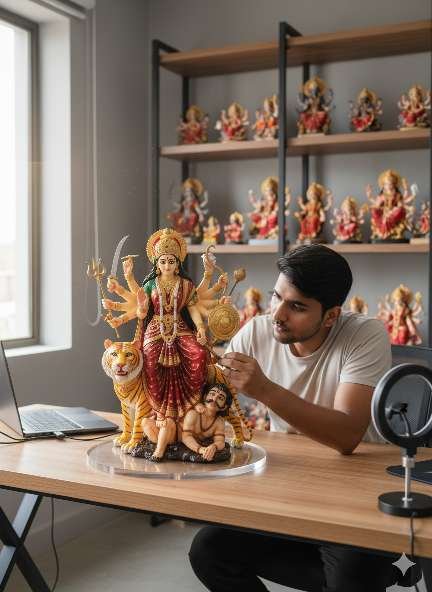
prompt⤵️
*A hyper-realistic scene featuring a 1/7 scale commercialized figurine of the Ma Durga. The figurine is realistic, posed standing on a round transparent acrylic base, placed on a computer desk. Next to the desk is the real-life version of the same man cleaning the figurine carefully with a fine brush with devotional way . The environment is a modern styled studio room, brightly lit, with shelves in the background holding a collection of ma durga, ma kali, matarani
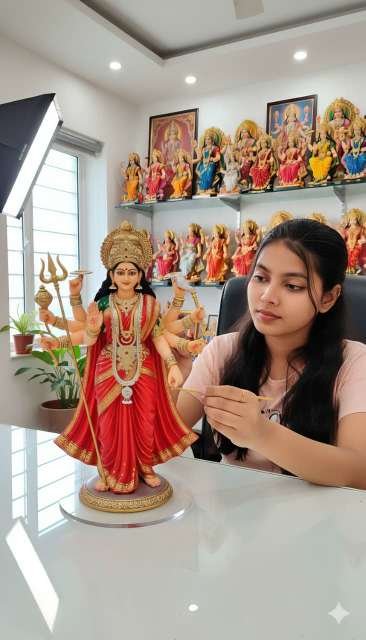
prompt⤵️
*A hyper-realistic scene featuring a 1/7 scale commercialized figurine of the Ma Durga. The figurine is realistic, posed standing on a round transparent acrylic base, placed on a computer desk. Next to the desk is the real-life version of the same man cleaning the figurine carefully with a fine brush with devotional way . The environment is a modern styled studio room, brightly lit, with shelves in the background holding a collection of ma durga, ma kali, matarani
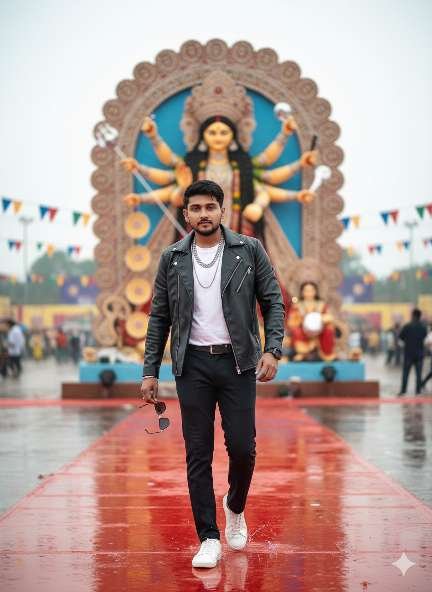
prompt⤵️
“8K ultra-cinematic festival poster in daylight. A stylish bearded man, whose face and hairstyle are the same as in the uploaded image, walks confidently on a glowing rain-soaked red carpet. He is wearing a black leather jacket, white shirt, dark pants, and white sneakers. In one hand he holds sunglasses, while layered chains and a shining wristwatch enhance his powerful personality. Behind him stands the uploaded statue of Durga Devi in a grand and magnificent form,
Viral Prompt Example for Free Fire Editing
Here’s an example of a Gemini AI viral prompt you can use:
“Create a highly realistic cinematic poster of a Free Fire warrior holding a glowing weapon, wearing a banana costume. The background should show a battleground with fire and lightning. Add epic lighting effects, sharp details, and a dramatic gaming vibe. Make it look like a viral Free Fire edit.”
This kind of prompt can generate viral-quality images that look like professional game posters.
Why is it Going Viral?
The reason this editing style is trending is because:
Fun & Unique – Banana characters look funny yet creative.
Shareable Content – Perfect for memes, reels, and thumbnails.
Free Fire Community – Gamers love using these edits for profile pics and social media.
AI Power – Anyone can create these edits without needing advanced Photoshop skills.
How to Use Google Gemini AI for Free Fire Editing
- Go to a platform where Google Gemini AI image generation is available.
- Enter a detailed prompt (like the example above).
- Experiment with variations: costumes, weapons, and backgrounds.
- Download and edit further with apps like PicsArt, Lightroom, or CapCut for finishing touches.
- Share it on social media platforms with trending hashtags.
Tips for Creating Viral Edits
Be very descriptive in your prompts (mention outfit, lighting, effects).
Use gaming keywords like “cinematic,” “epic,” “battleground.”
Add humor or creativity (like banana themes).
Keep experimenting until you get the perfect output.
Conclusion
The Google Gemini AI Banana Free Fire editing prompt is proof of how fast AI trends spread online. From funny banana warriors to epic Free Fire-style posters, this viral editing style is taking over Instagram, YouTube, and Facebook.
If you’re a gamer, editor, or content creator, this is the perfect time to try Gemini AI and ride the trend. With the right prompts, your edits can go viral in no time
ABOUT ME-
Mkedit.in, and my real name is gaurav solanki. I’m a social media influencer and a full-time YouTuber with over 30k subscribers. or 500k followers in instagram I create content about photo editing, reel video editing, and CapCut templates, and bing image creating prompts,which I share on my Instagrams