
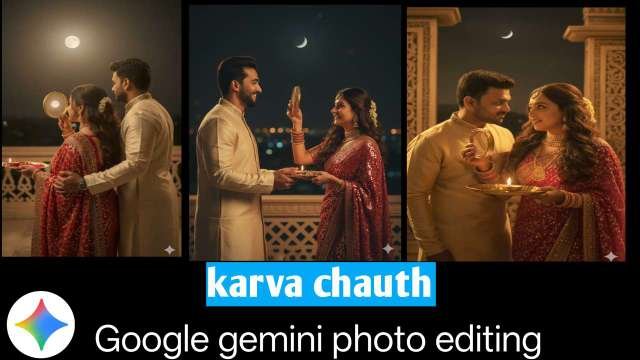
Karva Chauth is one of the most special festivals celebrated by married women in India, where they fast and pray for the long life of their husbands. On this day, women get dressed up beautifully in traditional attire like sarees, lehengas, and apply mehndi, sindoor, and jewelry. With social media becoming a big part of our celebrations, everyone wants to create beautiful Karva Chauth special photos.
Now, with the help of Google Gemini AI, you can edit and generate professional-quality Karva Chauth photos directly from text prompts – no expensive apps or complicated editing skills required!
In this blog, we’ll cover:
What is Google Gemini AI Photo Editing
Why use Gemini for Karva Chauth photos
Step-by-step guide to create/edit Karva Chauth images
Best prompts for Karva Chauth photo editing
ALL PROMPT⤵️
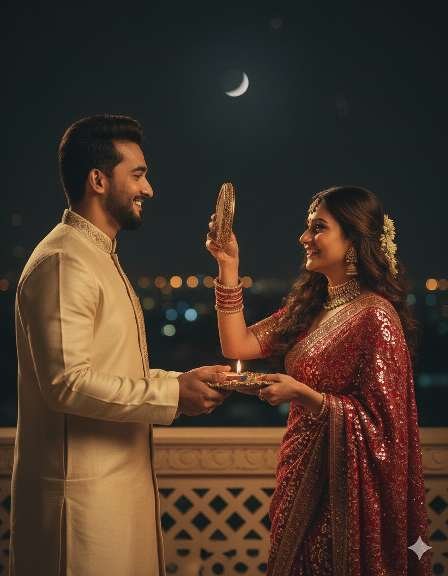
prompt⤵️
A high-quality, cinematic shot of a young, stylish Indian couple celebrating Karwa Chauth on a luxurious, royal-looking terrace at night.
The woman, wearing an ornate traditional gold-sequined red saree and intricate 90s-style gold jewelry including a choker, earrings, and bangles, holds a medium size rich look chalni and a pooja thali with a lit diya. She looks through the chalni at her handsome husband, who is wearing a cream colour royal-style kurta pajama. The girl is looking at the boy’s face through the sieve. The girl is also looking at the moon through the sieve as part of the Karwa Chauth ritual.
Girl Hair – replace the original hair with a digital image of dark brown wavy curly long hair and tuck a small gajra into the curls for a romantic touch.
The scene is lit with a warm, dark golden light that casts deep, dramatic shadows and high contrast, giving it a moody, vintage feel. The background features a textured wall and a subtle crescent moon in the night sky, creating a rich and aesthetic atmosphere. The final image should look like the reference image where base image – start with the original image ensuring the facial features remain Girl and boy face features remain exactly the same
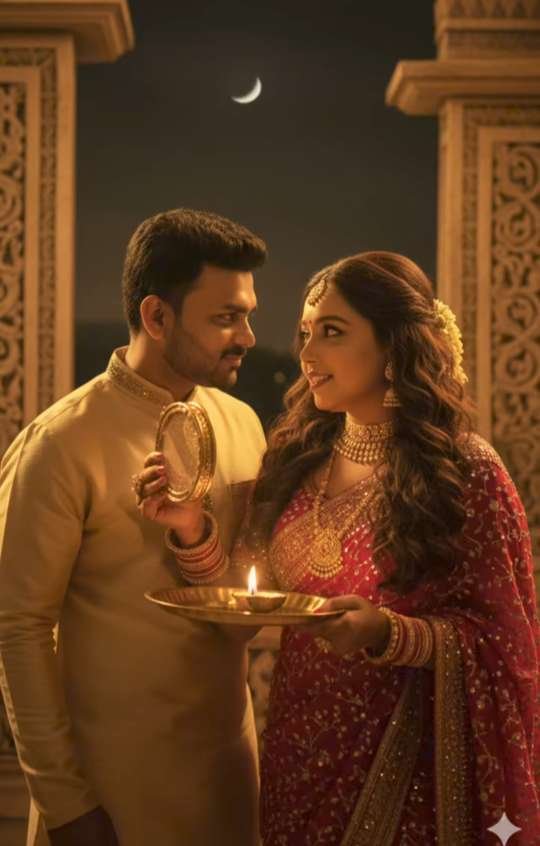
prompt⤵️
“Ultra realistic cinematic photo of an Indian couple celebrating Karwa Chauth at night. The woman is wearing a traditional red embroidered bridal saree with golden jewelry, long wavy hair decorated with flowers, holding a decorated thali with a lit diya (lamp) and a sieve (channi). She is lovingly looking at her husband. The man is wearing a cream-golden sherwani and smiling back at her while holding the sieve. Background shows intricately carved temple-like architecture and a glowing crescent moon in the night sky. Warm golden lighting, festive atmosphere, sharp details, cinematic photography.”
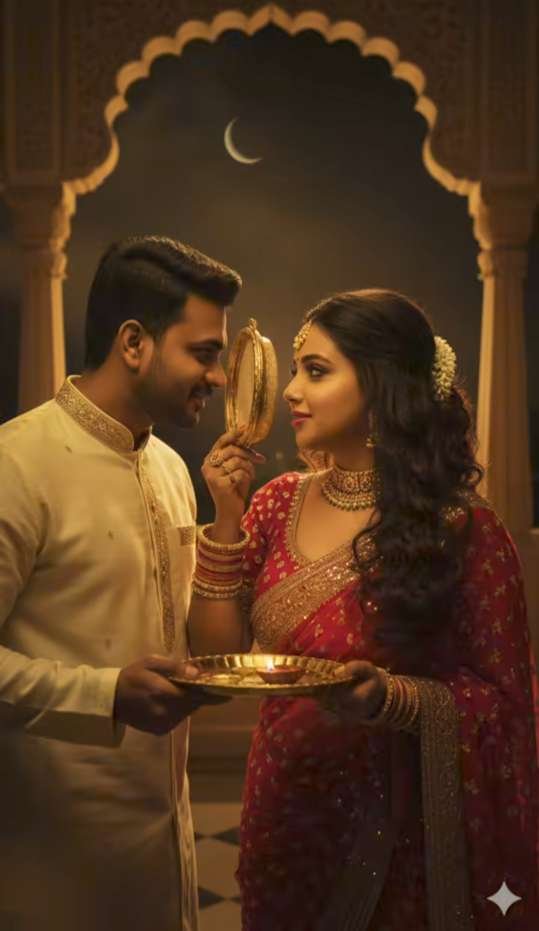
prompt⤵️
A high-quality, cinematic shot of a young, stylish Indian couple celebrating Karwa Chauth on a luxurious, royal-looking terrace at night.
The woman, wearing an ornate traditional gold-sequined red saree and intricate 90s-style gold jewelry including a choker, earrings, and bangles, holds a medium size rich look chalni and a pooja thali with a lit diya. She looks through the chalni at her handsome husband, who is wearing a cream colour royal-style kurta pajama. The girl is looking at the boy’s face through the sieve. The girl is also looking at the moon through the sieve as part of the Karwa Chauth ritual.
Girl Hair – replace the original hair with a digital image of dark brown wavy curly long hair and tuck a small gajra into the curls for a romantic touch.
The scene is lit with a warm, dark golden light that casts deep, dramatic shadows and high contrast, giving it a moody, vintage feel. The background features a textured wall and a subtle crescent moon in the night sky, creating a rich and aesthetic atmosphere. The final image should look like the reference image where base image – start with the original image ensuring the facial features remain Girl and boy face features remain exactly the same.
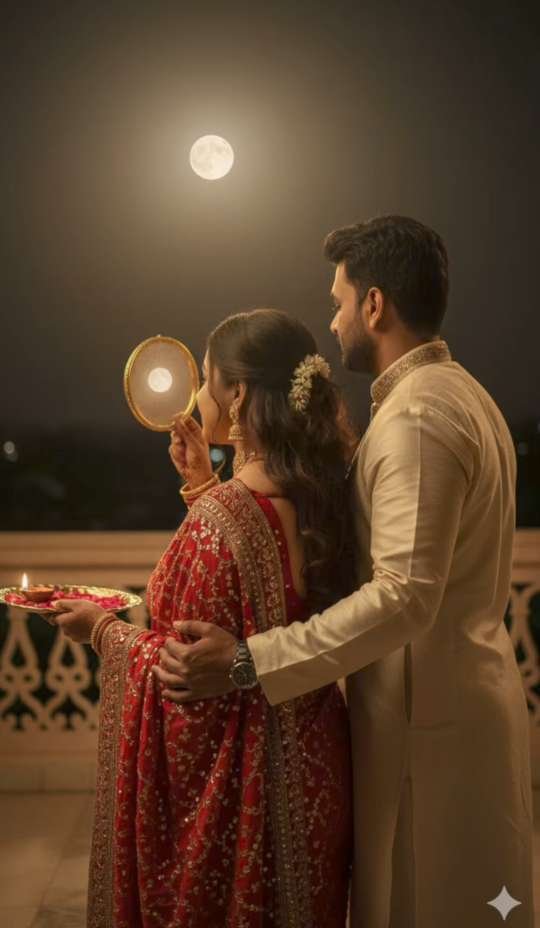
prompt⤵️
A high-quality, cinematic shot of a young, stylish Indian couple celebrating Karwa Chauth on a luxurious, royal-looking terrace at night.
The woman, wearing an ornate traditional gold-sequined red saree and intricate 90s-style gold jewelry including a choker, earrings, and bangles, holds a medium size rich look chalni and a pooja thali with a lit diya. She looks through the chalni at her handsome husband, who is wearing a cream colour royal-style kurta pajama. The girl is looking at the boy’s face through the sieve. The girl is also looking at the moon through the sieve as part of the Karwa Chauth ritual.
Girl Hair – replace the original hair with a digital image of dark brown wavy curly long hair and tuck a small gajra into the curls for a romantic touch.
The scene is lit with a warm, dark golden light that casts deep, dramatic shadows and high contrast, giving it a moody, vintage feel. The background features a textured wall and a subtle crescent moon in the night sky, creating a rich and aesthetic atmosphere. The final image should look like the reference image where base image – start with the original image ensuring the facial features remain Girl and boy face features remain exactly the same.
Google Gemini AI Photo Editing?
Google Gemini is a next-generation AI tool that allows you to generate and edit images using text prompts. Similar to other AI tools, it can create ultra-realistic, cinematic, and festival-themed photos just by describing what you want.
For example, you can type:
“Beautiful Indian woman dressed in red bridal saree, wearing jewelry, applying mehndi, holding a decorated Karva Chauth thali under moonlight.”
And Gemini will create a stunning Karva Chauth photo instantly.
Why Use Google Gemini for Karva Chauth Photos?
✅ Easy to use – No professional editing skills needed
✅ Free and fast – Generate photos within seconds
✅ Festival ready – Create traditional poses, backgrounds, and styles
✅ Customizable – Change outfits, jewelry, lighting, and locations
✅ Perfect for social media – Instagram, WhatsApp DP, Facebook posts
Step-by-Step Guide: Karva Chauth Photo Editing with Google Gemini
- Open Google Gemini App / Website
Visit the Gemini app (or web version).
- Login with Google Account
Use your Gmail ID to access all features.
- Select Image Generation Tool
Go to the photo creation or editing section.
Conclusion
Karva Chauth is a festival of love, tradition, and togetherness. With Google Gemini photo editing, you can make your memories even more special by creating beautiful AI-edited Karva Chauth images. Whether you want a solo photo, couple photo, or cinematic moonlit background, Gemini can generate everything for you in just a few clicks.