
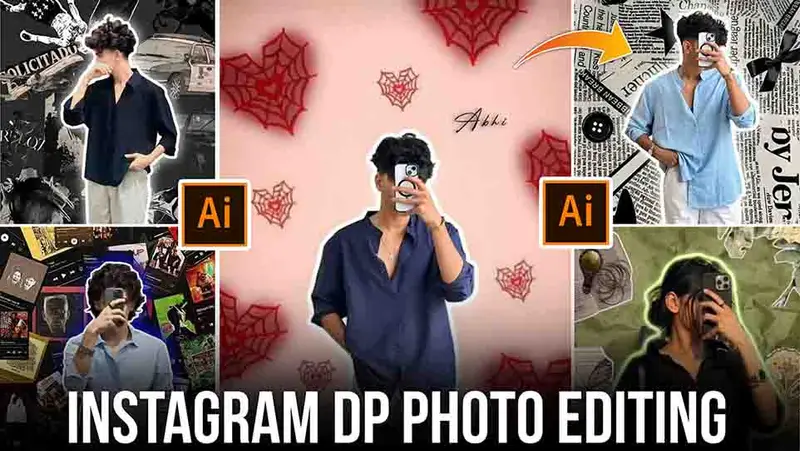
INSTAGRAM DP GOOGLE GEMINI PROMPT PHOTO EDITING
In 2025, AI photo editing has reached a whole new level — and one of the most trending tools right now is Google Gemini. Whether you want to create a stylish Instagram DP (Display Picture) or design a professional AI portrait, Gemini’s prompt-based image generation can do it all in just seconds!In this article, we’ll explain how to create an Instagram DP using Google Gemini, the best prompts to use, and some pro editing tips to make your photo go viral.
What Is Google Gemini Photo Editing?
Google Gemini is Google’s advanced AI tool that lets you create, edit, and enhance photos using simple text prompts.You can describe exactly what you want — like lighting, pose, background, and mood — and Gemini will generate a high-quality AI image based on your description.
How to Create an Instagram DP Using Google Gemini
Step 1: Open Google Gemini
Go to gemini.google.com and sign in using your Google account.
Step 2: Upload or Describe
Upload your photo to edit it, orType a detailed prompt describing your ideal Instagram DP.
Step 3: Use the Right Prompt
A good prompt makes all the difference! Be specific about your:Clothing style (e.g., hoodie, formal suit, traditional look)Background (e.g., neon lights, city view, smoke effect)Lighting (e.g., cinematic, golden hour, soft shadow)Mood or vibe (e.g., confident, mysterious, aesthetic)
Step 4: Adjust and Download
Once Gemini generates your image, you can:Regenerate to improve itAdd filters or retouchDownload the final photo in HD quality
ALL PROMPT ⤵️
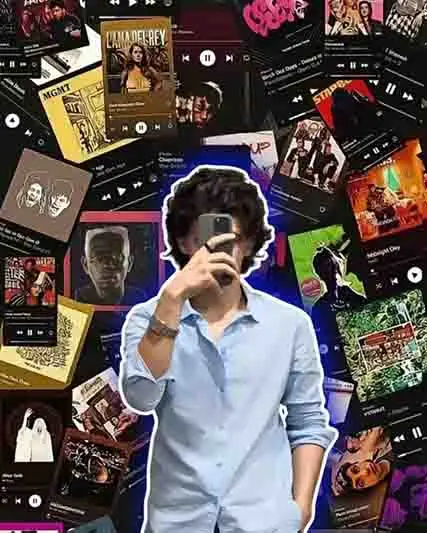
prompt⤵️
A young man is prominently featured in this vibrant, music-themed collage. He’s wearing a light blue, long-sleeved collared shirt, and has a silver-toned watch or bracelet on his left wrist. He’s holding a dark-cased smartphone directly in front of his face, obscuring it. His figure is sharply outlined with a bright, cool-toned (likely white or very light blue) neon glow, making him stand out from the background. The background itself is a busy and colorful mosaic of various album covers, music player interfaces, and abstract musical graphics, all densely packed together. The overall aesthetic is energetic and contemporary, evoking a strong sense of pop culture and a trendy, youthful vibe, while maintaining the original image’s aspect ratio.”
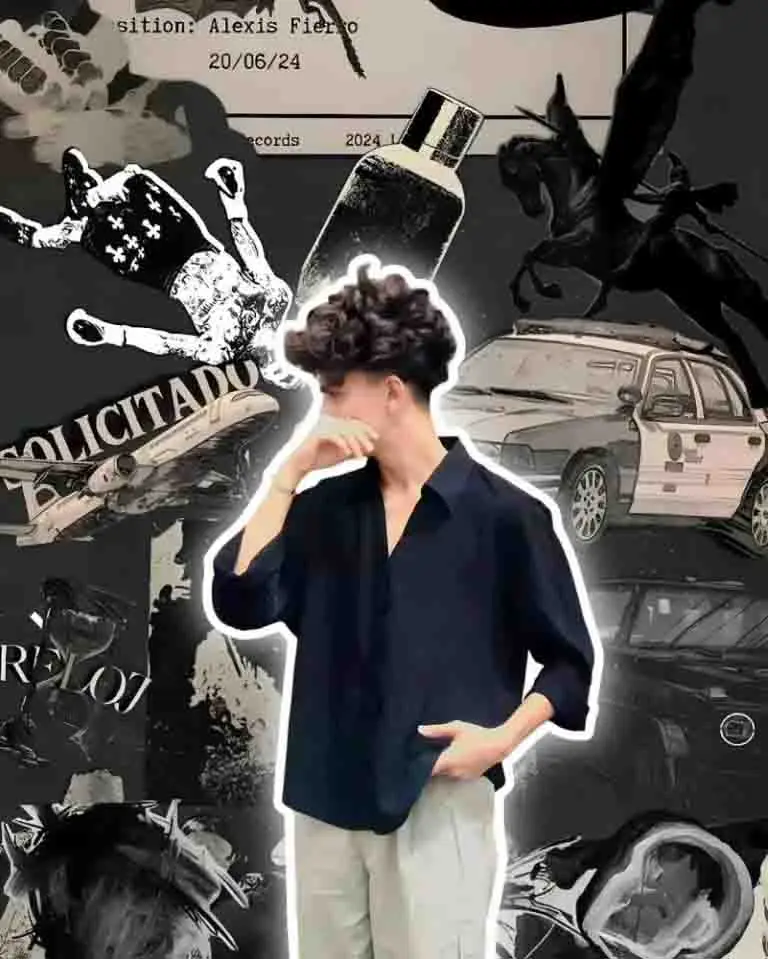
prompt⤵️
A stylish young man posing with one hand on his face and the other in his pocket, wearing a loose black shirt and light beige pants. He has voluminous curly hair and is standing against an artistic black-and-gray collage background. The collage includes elements like a police car, flying horse (Pegasus), perfume bottle, newspaper text, record label, and abstract paint textures. Aesthetic dark grunge mood with soft white outline glow around the person, realistic lighting, and portrait size composition. Modern Instagram-style HD photo edit.

prompt ⤵️
Aesthetic portrait of a girl taking a mirror selfie with a phone, her face partially covered by the phone. She is wearing a back colour out fit and a wristwatch, with smooth shoulder-length hair. The background is soft and dreamy, with pastel blue watercolor floral patterns and a glowing white outline around her body. The lighting is warm and natural, creating a soft aesthetic look. Add a stylish glowing outline around the subject for a modern digital art feel.At the bottom corner, add elegant text in cursive font: “Signature by Dinesh Edits” in soft light blue color with a subtle effect.
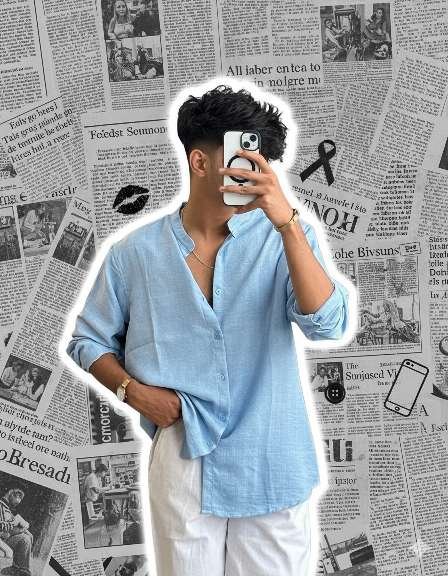
prompt⤵️
Create a stylish aesthetic portrait of a young man taking a mirror selfie. He is wearing a light blue loose shirt and white pants. The background is a collage of black-and-white newspaper prints with aesthetic elements like a black lipstick mark, mobile phone, ribbon bow, button, and text cutouts. Add a glowing white outline around the person to make him pop from the background. The overall style should be trendy, minimal, and Instagram-aesthetic.
prompt⤵️
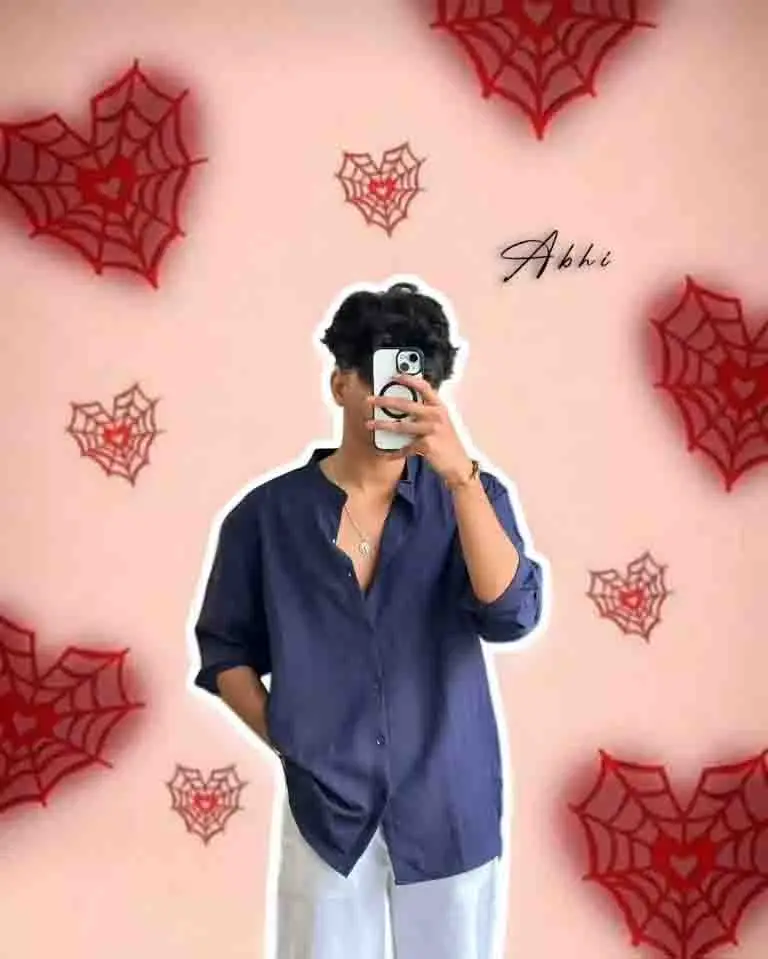
Create a highly realistic portrait of a young man standing confidently with one hand in his pocket and the other holding a phone in front of his face for a mirror selfie. He has short black hair with a stylish, voluminous look. He is wearing a dark navy blue open-collar shirt and white pants. Add a soft shadow and white glowing outline around his body. The background should be light peach-pink with multiple red heart-shaped spider web designs scattered artistically. Add the text “dinesh” in elegant cursive font on the right side. The lighting should be soft and even, giving a clean, aesthetic look suitable for social media.
Editing Tips for a Viral DP
Always use high contrast and vibrant tones.Keep your face centered and clear.Use Gemini’s regenerate option if the result isn’t sharp.Add subtle filters for a consistent Instagram aesthetic.Save in 1080×1080 resolution for the best DP quality.
Why Use Gemini for Instagram DP?
✅ 100% Free to use
✅ Fast AI generation
✅ Realistic and cinematic results
✅ Easy for both beginners and pros
Final Words
Creating your Instagram DP using Google Gemini is quick, creative, and professional. With the right prompt and styling ideas, you can design a unique profile photo that stands out instantly. Try experimenting with different lighting, outfits, and themes — Gemini makes it effortless!