
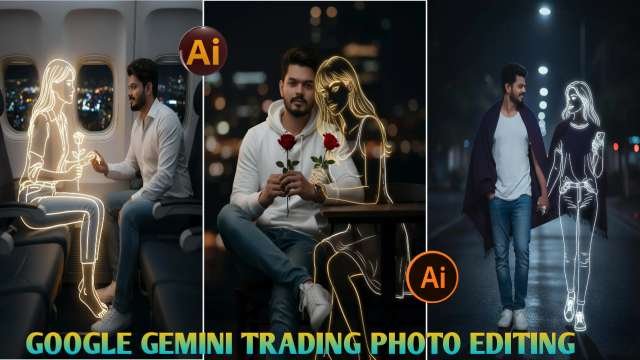
Nowadays, girlfriend-style video editing is trending everywhere. Earlier, only photos of this style were going viral, but now videos are getting even more popular. In today’s post, I will first explain how to create the photo, and then how to convert it into a video. I’ll guide you step-by-step so you can easily make these types of images and videos.Many creators are using AI and prompts to generate animated girlfriend characters for these edits. I will also show you the same method. Just follow all the steps carefully and read the article completely—once you understand everything, creating photos and videos will become very easy for you.
How to Create a Photo Using Google Gemini
Step 1: Open Google Gemini
Go to the Gemini website or app.Make sure you are logged in with your Google account.
Step 2: Select “Image Generation”
In the chat box, type “Create an image” or select the Image option.Gemini will switch to photo creation mode.
Step 3: Write a Perfect Prompt
A prompt is the description of the photo you want to generate.Write the details clearly—for example:Face expression Pose background Clothes Look / Style (cute, anime, realistic, aesthetic, etc.)
Step 4: Generate the Photo
After writing the prompt, press Enter.Gemini will create 2–4 images based on your description.
Why Google Gemini Is Perfect for new trand Photo Editing
Here’s why Gemini is trending for new trand 2025 photo edits:1. AI-Generated Glow Effects: Add diya lights, fireworks, and sparkler effects in seconds.2. Traditional Indian Themes: Sarees, kurtas, rangolis, and festive jewelry are easily added.3. Same Face Accuracy: Keep your exact face and expressions even after full AI transformation.4. High-Resolution Output: Perfect for websites, posters, or social media campaigns.5. Quick and Easy: No Photoshop or Lightroom skills needed — just type and generate.
ALL PROMPT COPY⤵️
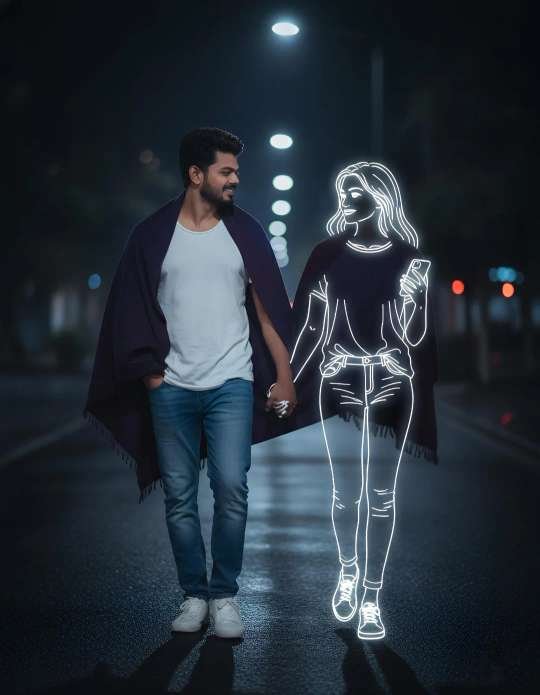
PROMPT⤵️
A photorealistic night-time portrait of me walking down an empty city street, wearing a white T-shirt, jeans, and white sneakers. No hair description. A warm shawl drapes loosely over my shoulders as I look to my side with a soft smile. Beside me walks a golden glowing neon-style illustration of a girl, perfectly aligned to my pace, her outline emitting soft white-golden light. She holds my hand gently, and her glow spreads across the wet street surface. City lights in the distance blur into dreamy bokeh, creating a calm, surreal, imaginative mood. 100% accurate my face.

PROMPT ⤵️
A photorealistic portrait of me sitting on a café chair at night, wearing a white hoodie, jeans, and white sneakers. No hair description. I hold a red rose in my hands while sitting with one leg crossed over the other.Beside me appears a golden glowing neon-style illustration of a girl sitting on the chair next to me, also holding a rose. Her outline emits a soft white-golden light that contrasts beautifully against the dark café interior and the blurry city lights behind us. The atmosphere feels calm, melancholic, and slightly surreal, blending reality with imagination. 100% accurate my face.
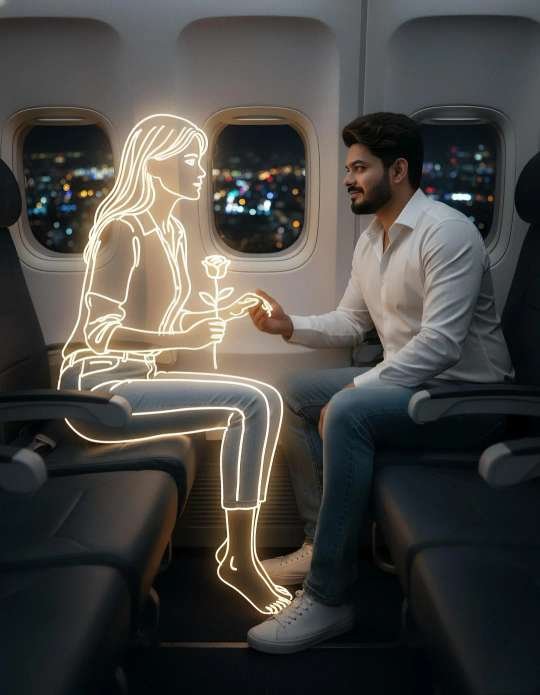
PROMPT ⤵️
A photorealistic portrait of me sitting inside an airplane at night, wearing a white shirt, jeans, and white sneakers. No hair description. I sit relaxed, holding a rose while leaning forward slightly. In the seat across from me appears a golden glowing neon-style illustration of a girl, sitting casually with her legs crossed, holding a rose toward me. Her soft white-golden neon light contrasts with the dark cabin and the blurred glowing city lights visible through the airplane windows. The atmosphere feels intimate, calm, and surreal, merging reality with imagination. 100% accurate my face.
Conclusion–
Google Gemini 3D Photo Editing is a game-changer for digital creators. With AI-powered tools, anyone can create cinematic, professional, and realistic 3D images without needing advanced editing skills. Whether you want to design viral social media posts, eye-catching YouTube thumbnails, or creative digital art, Gemini makes the process simple and powerful.The future of photo editing is here, and it’s 3D – powered by Google Gemini!
ABOUT ME-
My website name Mkedit. and my real name is gaurav solanki. I’m a social media influencer and a full-time YouTuber with over 30k subscribers. or 500k followers in instagram and facebook followers 200k I create content about photo editing, reel video editing, and CapCut templates, and bing image creating prompts,which I share on my Instagram thanks for visit my website