
Coconut Leaf Craft Ai Google Gemini Prompt Photo Editing And Glow Ai video editing prompt
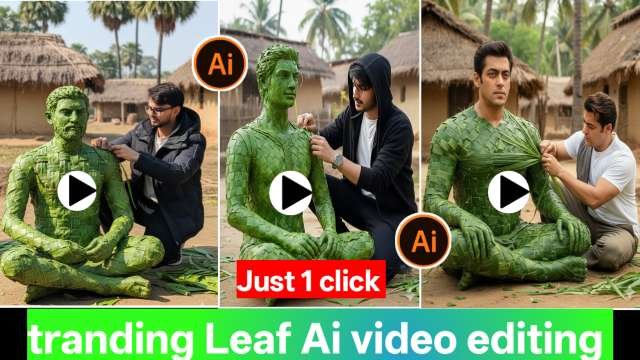
New AI trends keep emerging on Instagram every day, and one such trend that is currently going viral is Coconut Leaf Craft AI Photo & Video.In this trend, a human figure is shown made entirely from fresh green coconut leaves, or an artist is seen crafting a human sculpture using coconut leaves. These images and videos look extremely creative, realistic, and cinematic, which is why they are gaining massive attention on social media.
How Is This Trend Created?
1.First, a high-quality and realistic image of coconut leaf craft is generated using Google Gemini AI.
2.Next, the same image is uploaded into an Image-to-Video AI tool such as Flow AI.
3.The final video looks as if a craftsman is shaping a human figure live using fresh coconut leaves, giving it a magical and artistic feel.
coconut leaf Ai photo & video Editing Prompt
In this section, I will share different types of prompts that you can use to create AI photos similar to the trending Coconut Leaf Craft images using Google Gemini AI. These prompts will help you generate the exact type of image you want.First, you will find an image-generation prompt that allows you to create a Coconut Leaf Craft AI image that closely resembles your own photo, where your face and body appear to be artistically woven from fresh green coconut leaves. You can also use the same prompt to create images inspired by celebrities or well-known personalities—just study a reference image and copy the prompt accordingly before using it in Gemini AI.After generating the image, we will also provide an AI video prompt. Using this prompt, you can create a cinematic video that shows the process of crafting a human figure from real coconut leaves step by step, gradually revealing the final artwork. This creative style is currently going viral on social media platforms.
Leaf Ai Google Gemini Prompt
Copy Prompt ⤵️
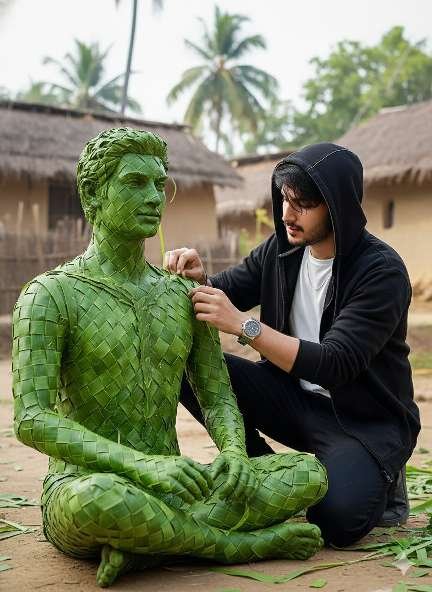
Use the uploaded person as the only identity reference and show them twice in one frame — once as a real craftsman and once as a life-size seated sculpture made from fresh green leaves. Both must be an exact identity match (same face, age, hair, body, posture). The craftsman is on the right side, wearing the exact same clothes as the uploaded image, kneeling beside the sculpture and weaving leaf strips onto its upper body with a focused natural expression. The sculpture sits calmly on the ground, tightly woven with visible leaf veins and imperfections. Ultra-realistic documentary photo, vertical 9:16, eye-level medium shot, slight side-front angle, 35–40mm lens, natural daylight. Real rural village background with mud houses, thatched roofs, palm trees, earthy ground, scattered green leaves. Green-dominant, handcrafted look, photorealistic — not CGI or fantasy.
How Create Coconut Leaf Ai video Editing
Creating a coconut Leaf-style video is very easy using the Glow App. Follow the steps below to make a smooth, aesthetic video animation:
Step 1: Install and Open Glow App
Creating a coconut Leaf-style video is very easy using the Glow App. Follow the steps below to make a smooth, aesthetic video animation:
Step 2: Create or Import the coconut Leaf Photo
If you already have an AI photo (created from Gemini or any AI tool), import it.If not, create one first, then follow these
Step 1.
Tap Create New Project
Select your generated coconut Leaf Photo
. Add it to the timeline
Step 3: Use the Walking Animation Feature
Glow App provides AI movement effects. To apply the walking effect:1. Select the Photo Layer.
2. Go to AI Effects or Motion Effects
3. Choose Animation / dance Girl Effect
4. Adjust speed, direction, and smoothness
5. Preview the movement
Video prompt ⤵️
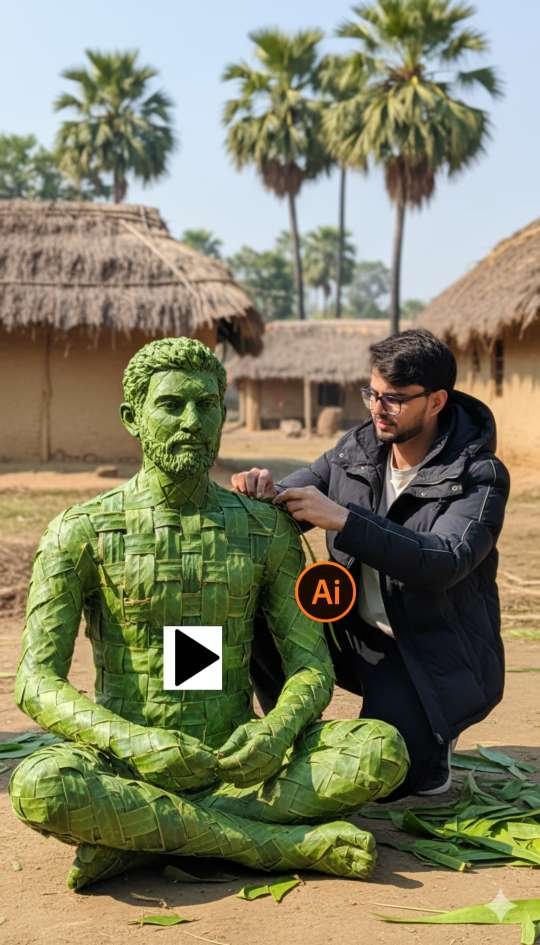
Documentary-style realistic animation in natural daylight. A person works continuously on a seated green-leaf sculpture with slow, natural human motion: gentle hand weaving, tightening fibers, adjusting leaf strips, subtle body shifts, slight head movement, focused expression. The sculpture remains completely static and unmoving at all times-no breathing, no leaf motion. Smooth, slow cinematic camera orbit (180°-360°) at eye level, constant distance. Subtle depth realism only. Clean environment. Realistic ambient sound. No fantasy cinematic effects.”
How to Sign In to the Flow AI Website?
Signing in to the Flow AI website is very simple. Just follow the steps bel
Step 1: Visit the Official Flow AI Website
Open your browser and go to the official Flow AI site
Step 2: Click on “Sign In”
On the homepage, look for the sign in / login button (usually at the top-right corner).
Step 3: Choose Your Login Method
Flow AI generally allows login through:Google Account email & Password other supported accounts (if available)Select the option you prefer.
Step 4: Enter Your Details
If you are signing in with Google, just select your account.If you are using email, type your email and password.
Conclusion–
Google Gemini 3D Photo Editing is a game-changer for digital creators. With AI-powered tools, anyone can create cinematic, professional, and realistic 3D images without needing advanced editing skills. Whether you want to design viral social media posts, eye-catching YouTube thumbnails, or creative digital art, Gemini makes the process simple and powerful.The future of photo editing is here, and it’s 3D – powered by Google Gemini!
ABOUT ME-
My website name Mkedit. and my real name is gaurav solanki. I’m a social media influencer and a full-time YouTuber with over 30k subscribers. or 500k followers in instagram and facebook followers 200k I create content about photo editing, reel video editing, and CapCut templates, and bing image creating prompts,which I share on my Instagram thanks for visit my website