
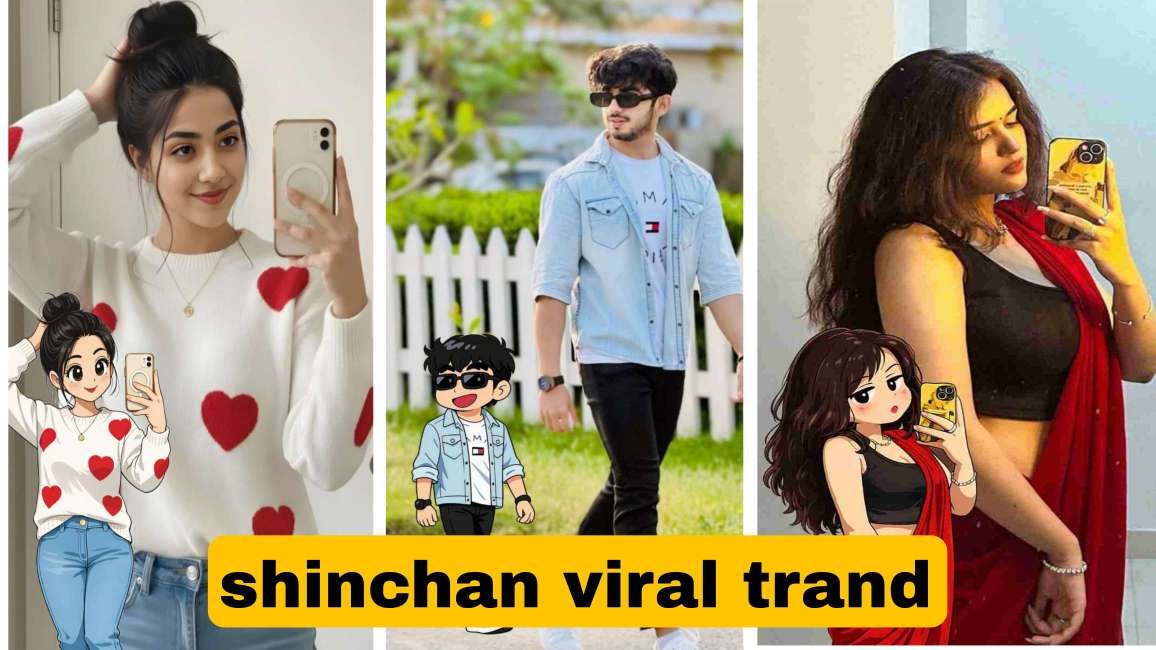
shinchan style photo viral prompt chatght photo editing
So friends, in today’s post, I am going to share a viral Shin-chan Style Photo Editing prompt that is currently trending a lot on Instagram. Nowadays, people are creating their photos in the Crayon Shin-chan cartoon style and posting them on Instagram Stories and Reels, and these photos look extremely cute, funny, and eye-catching. Because of this unique anime-style look, these stories are getting very good engagement and attention.
This trend is becoming popular very fast, and both boys and girls are actively using it to create their own Shin-chan style cartoon photos. If you also want to follow this trend and create a Shin-chan style photo of yourself, then this post is going to be very helpful for you.
In this post, I will provide you with a perfect and ready-to-use Shin-chan Style AI prompt, using which you can easily convert your normal photo into a Shin-chan cartoon version. Along with that, I will explain step by step how to use the prompt properly, how to generate the photo, and finally how to upload it on your Instagram Story so that it looks attractive and professional.So make sure you read this post till the end, because after that, you will be able to create your own Shin-chan Style viral photo without any confusion.
What Is Shin-chan Style chat Gpt Photo Editing?
Shin-chan Style Photo Editing is a popular AI-based photo editing trend in which a normal human photo is transformed into a cartoon or anime-style image inspired by the famous character Crayon Shin-chan. In this style, the person in the photo is redesigned with cute, exaggerated facial expressions, big oval eyes, simple dot pupils, rounded face shape, and bold, clean outlines, exactly like the characters seen in the Shin-chan animated series.This editing style focuses on creating a funny, playful, and childlike look, while still keeping the original face structure and identity of the person. Advanced AI tools and prompts are used to match the person’s facial features, hairstyle, and expressions with the Shin-chan cartoon aesthetic, making the final image look both personal and animated.Shin-chan Style Photo Editing has become especially popular on Instagram Stories, Reels, and profile photos, because it looks unique, eye-catching, and entertaining. Both boys and girls are using this style to create viral content, gain more engagement, and follow the latest social media trends.
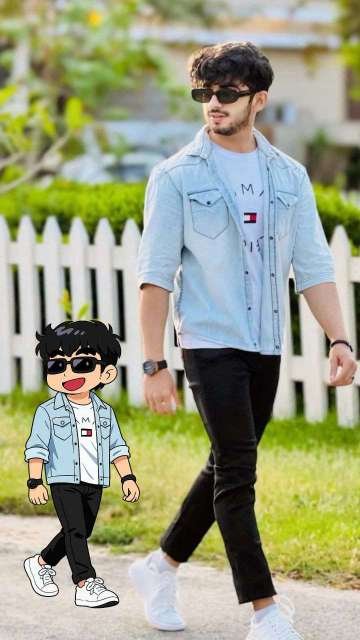
Prompt👇
Transform the subject from the uploaded photo into the Crayon Shin-chan (Shinnosuke Nohara) anime style, referencing Shin-chan’s full cast of friends (such as Kazama, Nene, Masao, and Bo-chan).Style & Aesthetic:Match the official Crayon Shin-chan TV anime look – exaggerated cartoon humor, stubby childlike proportions, big oval eyes with dot pupils, expressive mouths, bold clean outlines, and flat cel coloring.Subject Details to Retain:Keep the subject’s original clothing, hairstyle, accessories, pose, skin tone, and expression recognizable, but reinterpret them as if they are part of Shin-chan’s friend group. Clothing should be simplified into bold, flat anime shapes while remaining faithful to the original outfit.Visuals:Full-body character in Shin-chan anime style.Bold outlines, flat cel fills, minimal shading.Comedic proportions and facial expressions referencing Shin-chan’s friends.Background:White or transparent background.Negative Prompt:No realistic faces, no detailed or 3D shading, no manga sketch lines, no extra accessories, no anime style outside of official Crayon Shin-chan.
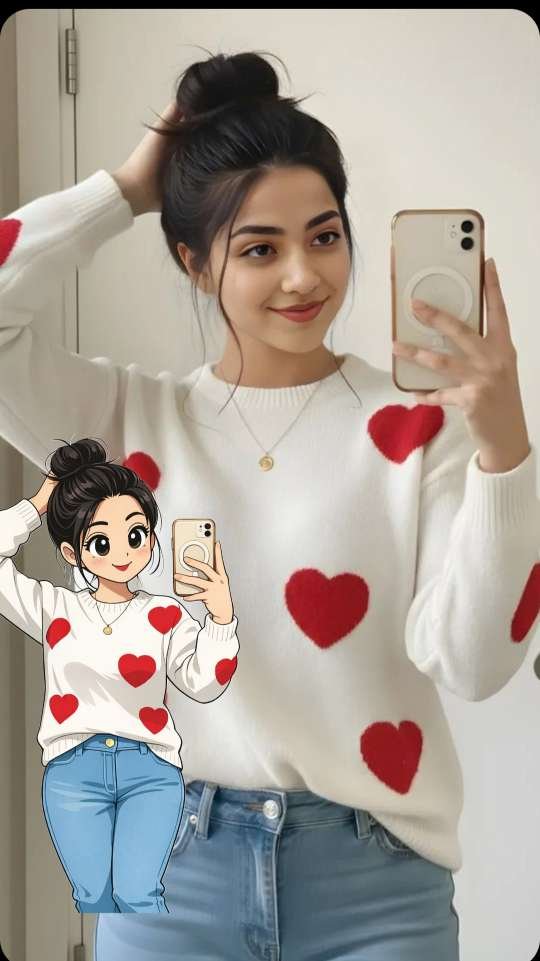
Prompt 👇
Transform the subject from the uploaded photo into the Crayon Shin-chan (Shinnosuke Nohara) anime style, referencing Shin-chan’s full cast of friends (such as Kazama, Nene, Masao, and Bo-chan).Style & Aesthetic: Match the official Crayon Shin-chan TV anime look — exaggerated cartoon humor, stubby childlike proportions, big oval eyes with dot pupils, expressive mouths, bold clean outlines, and flat cel coloring.Subject Details to Retain: Keep the subject’s original clothing, hairstyle, accessories, pose, skin tone, and expression recognizable, but reinterpret them as if they are part of Shin-chan’s friend group. Clothing should be simplified into bold, flat anime shapes while remaining faithful to the original outfit.Visuals: Full-body character in Shin-chan anime style. Bold outlines, flat cel fills, minimal shading. Comedic proportions and facial expressions referencing Shin-chan’s friends.Background: White or transparent background.Negative Prompt: No realistic faces, no detailed or 3D shading, no manga sketch lines, no extra accessories, no anime style outside of official Crayon Shin-chan.
How to Create a Shin-chan Style Photo Using ChatGPT
Step 1:
Use ChatGPT app or website
Make sure your ChatGPT supports image upload & image generation
Step 2: Upload Your Photo
Upload a clear selfie or portrait
Face should be visible
Avoid heavy filters or blur
Step 3: Use This Shin-chan Style Prompt
Copy and paste this exact prompt after uploading your photo
Step 4: Generate the Image
Tap Generate
Wait a few seconds
Your Shin-chan style photo will be ready
Conclusion
In this article, I have explained the trending Shin-chan Style Photo Editing technique step by step. Along with the complete process, I have also provided a powerful prompt that allows you to create a Shin-chan style image instantly. With just one click, you can generate high-quality results. I hope you found this article informative and useful.