
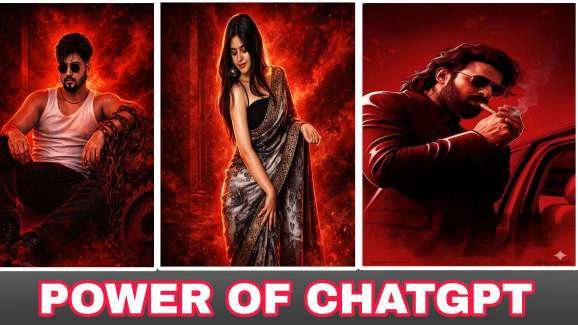
Viral Chat Gpt Photo Editing Just 1 click
So friends, since AI-generated images with ChatGPT are trending on social media right now, we thought—why not make this new Tranding lehenga even more special? That’s why we’ve brought you a collection of AI photo prompts for Ganesh Chaturthi.In this post, you’ll find the best ChatGPT prompts for blue elegant photo editing. With the help of these prompts, you can easily create highly detailed, cinematic-quality festival photos featuring your own face.
How to Create a transformation Photo for Free with ChatGPT?”
Step 1: Open ChatGPT
First, open ChatGPT (free or pro version). If you have access to image generation features, you can directly create photos using AI prompts.
Step 2: Write the Prompt
The magic lies in the prompt. A prompt is a text instruction you give to ChatGPT to create your desired image. For example:
Step 3: Generate the Photo
After entering the prompt, ChatGPT (or a connected image generator) will create your Ganesh Utsav photo within seconds. If you don’t like the first result, just tweak your prompt and try again.
Step 4: Save and Share
Once you get the perfect festive photo, download it to your device. You can now share it on WhatsApp, Instagram, or Facebook, or even print it as a poster for Ganesh Chaturthi celebrations.
Copy prompt 👇
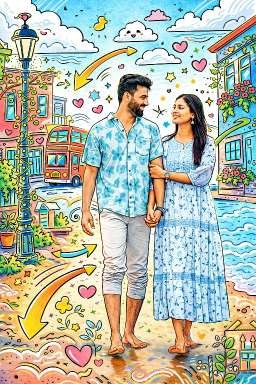
copy prompt 👇
Transform the entire scene into a mixed-media illustration with hand-drawn cartoon overlays. Convert the buildings, windows, street lamps, bus, plants, and sky into outlined cartoon sketches with bright, colorful fills. Add doodles to fill the background, swirling arrows around the subject(s), cartoon clouds in the sky, hearts, stars, panels, and playful sketch lines across the scene. Add climbing vines and decorative doodles to the lamp post and buildings. Keep the
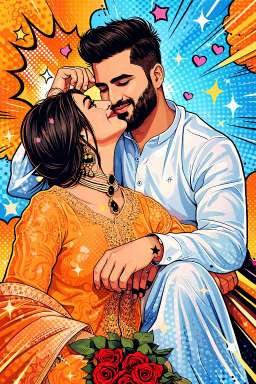
copy prompt 👇
Transform the image into a high-end professional pop-art vector illustration. Use Clean vector shapes with accurate facial features, soft cartoon detailing, minimal halftone shading. Add comic bursts, dotted patterns, motion lines, energy effects, spark highlights using the photo’s dominant colors. Bold outlines, crisp edges, vibrant balanced colors, fully color-adaptive pop-art background and some cute pink hearts!”
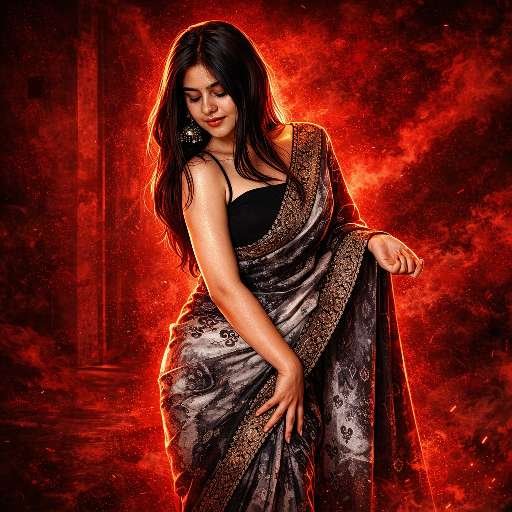
Copy prompt 👇
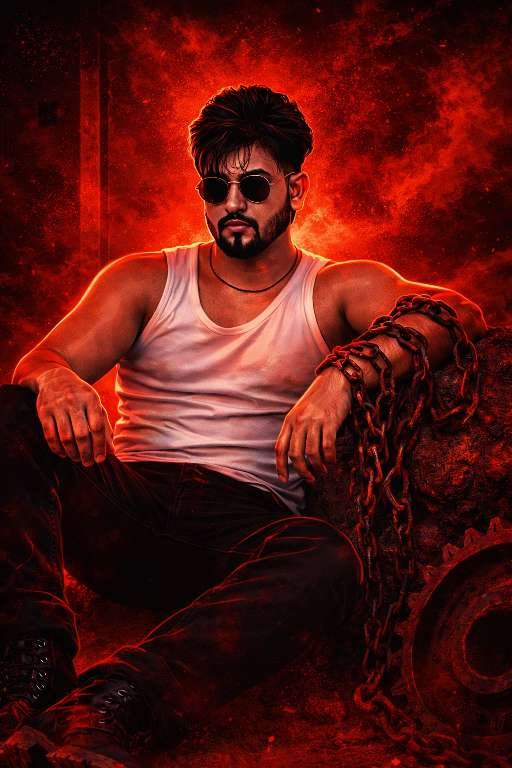
Create a cinematic digital illustration of the person in the reference photo. Maintain the exact face, identity, hairstyle, expression, skin tone, and pose with zero distortion. Transform the entire scene into a deep red high-contrast Tamil gangster movie poster style. Replace the background with red gradients, smoky atmosphere, and subtle textures. Add bold comic-book shading, thick outlines, strong black shadows, and glossy highlights on the skin and clothes. Stylize the outfit with richer tones, clean folds, and dynamic lighting while keeping the original clothing design. Add intense highlights to the jawline, cheekbones, and edges of the body. Maintain the original pose and attitude. Create a gritty, powerful, cinematic mood with dramatic lighting and high contrast.Ultra-detailed, sharp lines, vibrant red atmosphere, action-movie poster energy, 4K illustration.”
copy prompt 👇
Create a cinematic digital illustration of the person in the reference photo. Maintain the exact face, identity, hairstyle, expression, skin tone, and pose with zero distortion. Transform the entire scene into a deep red high-contrast Tamil gangster movie poster style. Replace the background with red gradients, smoky atmosphere, and subtle textures. Add bold comic-book shading, thick outlines, strong black shadows, and glossy highlights on the skin and clothes. Stylize the outfit with richer tones, clean folds, and dynamic lighting while keeping the original clothing design. Add intense highlights to the jawline, cheekbones, and edges of the body. Maintain the original pose and attitude. Create a gritty, powerful, cinematic mood with dramatic lighting and high contrast.
Ultra-detailed, sharp lines, vibrant red atmosphere, action-movie poster energy, 4K illustration.”
Conclusion
In this article, I have explained the trending Chat Gpt Prompt Transformation Style Photo Editing technique step by step. Along with the complete process, I have also provided a powerful prompt that allows you to create a transformation style image instantly. With just one click, you can generate high-quality results. I hope you found this article informative and useful.