
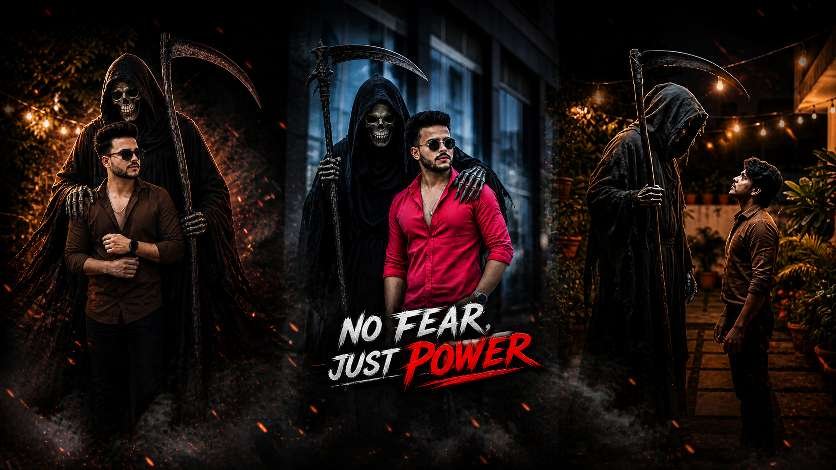
hey guys my name is gaurav Solanki (mkeditor) This article given by amezing devil style Chat Gpt prompt photo editing In today’s fast-growing digital world, creating eye-catching visuals is more important than ever. Platforms like Instagram are full of content, and only bold and unique designs manage to stand out. The idea of “No Fear, Just Power” perfectly represents the kind of strong, confident, and cinematic edits that grab attention instantly.
Modern photo editing is no longer just about basic adjustments. It’s about creating a powerful visual impact. Dark backgrounds, dramatic lighting, and intense color tones are currently trending on Instagram because they create a scroll-stopping effect. When someone sees your post, it should immediately make them pause and look again.
Cinematic editing plays a huge role in this. By increasing contrast, adding deep shadows, and using warm tones like red and orange, you can give your images a bold and professional look. Effects like smoke, sparks, and glow add depth and make your design feel alive. These small details turn a normal image into something powerful and engaging.
Instagram Trending Style Chat Gpt Photo Editing
If your goal is to go viral, you need to follow what’s working right now. Instagram trends show that people are more attracted to strong visuals with attitude and emotion. Confident poses, dark themes, and high-quality edits perform much better than simple images.One of the most important elements is text. Keep it short, bold, and impactful. Long sentences don’t work well in thumbnails or posts. Phrases like “No Fear, Just Power”, “Fear Ends Here”, or “Born Fearless” are effective because they are easy to read and instantly create impact.Color grading is another key factor. A combination of dark tones with warm highlights gives a cinematic feel that looks premium and professional. Adding a slight glow, vignette, or particles like sparks can enhance the overall quality of your image.Consistency also matters. Posting regularly, using trending styles, and maintaining a unique visual identity will help you grow faster. It’s not just about one post going viral—it’s about building a strong presence over time.
How To Create Chat Gpt Photo Editing
Step 1: Open ChatGPT
First, open ChatGPT and google gemini (free or pro version). If you have access to image generation features, you can directly create photos using AI prompts.
Step 2: Write the Prompt
The magic lies in the prompt. A prompt is a text instruction you give to ChatGPT to.
Step 3: Generate the Photo
After entering the prompt, ChatGPT (or a connected image generator) will create your Ganesh Utsav photo within seconds. If you don’t like the first result, just tweak your prompt and try again.
Step 4: Save and Share
Once you get the perfect festive photo, download it to your device. You can now share it on WhatsApp, Instagram, or Facebook, or even print it as a poster for Ganesh Chaturthi celebrations.
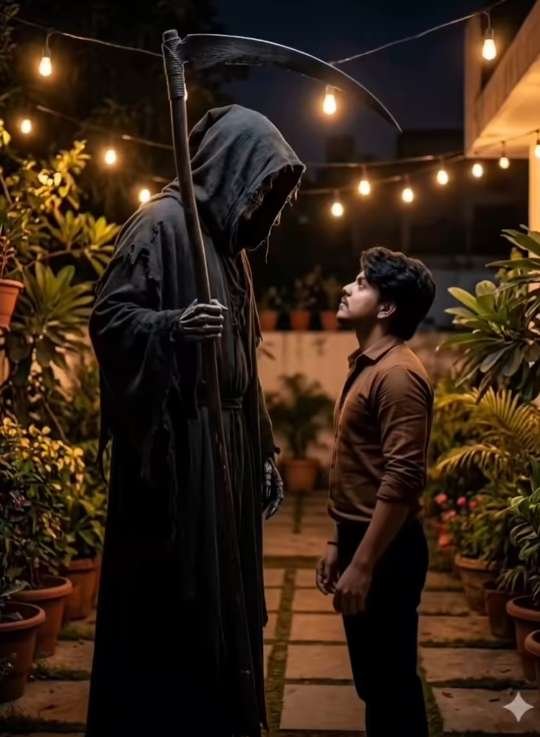
Copy prompt 👇
ADD THE HIM STANDS A DARK, EERIE GRIM REAPER WEARING A BLACK HOODED CLOAK, WITH A SKULL FACE AND HOLDING A LARGE SCYTHE. THE REAPER’S ARM IS PLACED CASUALLY AROUND THE MAN’S SHOULDER
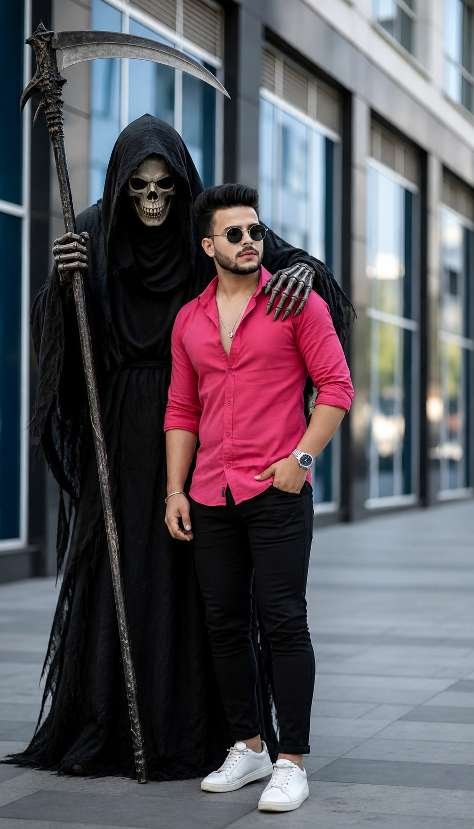
Copy prompt 👇
ADD THE HIM STANDS A DARK, EERIE GRIM REAPER WEARING A BLACK HOODED CLOAK, WITH A SKULL FACE AND HOLDING A LARGE SCYTHE. THE REAPER’S ARM IS PLACED CASUALLY AROUND THE MAN’S SHOULDER
Conclusion
Photo editing today is all about creativity, confidence, and impact. With the right techniques, you can turn simple images into powerful visuals that attract attention and perform well on Instagram.The concept of “No Fear, Just Power” is more than just a title—it’s a style. It represents bold editing, strong visuals, and a fearless approach to creativity. Don’t be afraid to experiment, try new ideas, and push your limits.Because in the end, the content that stands out is the one that shows power—and no fear.