
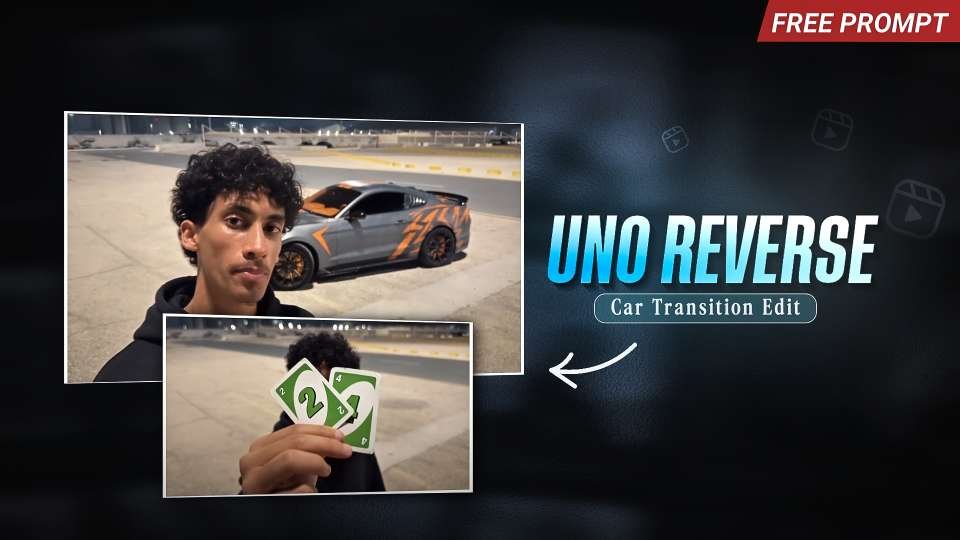
The UNO Reverse Car Transition Edit is a creative video trend that combines the popular UNO Reverse card effect with an exciting luxury car transformation. This type of edit is gaining attention on Instagram Reels because it turns a simple photo or scene into a cinematic video with a surprising transition. Using Google Flow AI, you can experiment with creative camera movements, realistic car transformations, and smooth cinematic effects to create engaging videos for your social media audience.In this guide, you will learn how to create an UNO Reverse Car Transition video using Flow AI and a suitable AI video prompt.
What Is the UNO Reverse Car Transition Edit?
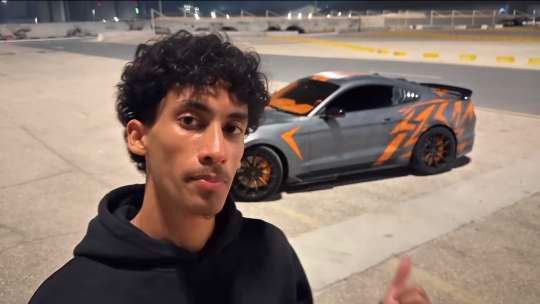
The UNO Reverse Car Transition Edit is a creative video concept in which an UNO Reverse card acts as the trigger for a dramatic scene transformation. For example, you can begin with a selfie of yourself standing in a parking area. When you show an UNO Reverse card toward the camera, the scene can transition into a cinematic shot featuring a stylish sports car.The main attraction of this effect is the unexpected transformation. Instead of using ordinary cuts, the video creates the illusion that a simple card can change the entire scene.You can customize this concept with luxury cars, nighttime parking areas, colorful lighting, cinematic camera movements, and realistic visual effects. It is an excellent idea for creators who want to experiment with AI-generated Instagram Reels.
Why Is This AI Video Trend Popular on Instagram?
Instagram users enjoy short videos that feature surprising transitions, impressive visuals, and creative storytelling. The UNO Reverse effect combines these elements in a simple and recognizable concept.
A video can begin with an ordinary selfie and suddenly transform into a cinematic sports-car scene. This contrast makes the edit interesting and encourages viewers to watch the transition again.
Creators can also personalize their videos by choosing different cars, backgrounds, outfits, and lighting styles. With AI video generation, you can experiment with these ideas without needing to film an actual sports car.
However, going viral is never guaranteed. The quality of your original image, transition timing, and final editing all play important roles in making your Reel engaging.
How to Create an UNO Reverse Car Transition Video Using Flow AI
You can use Google’s Flow AI video-generation workflow to experiment with this creative concept. The exact options available may depend on your account and the tools currently enabled.Start by preparing a clear photograph of yourself. Choose an image with good lighting and a visible background so the AI can interpret the scene more effectively.Next, plan the transformation. For example, you can hold an UNO Reverse card close to the camera before the scene changes into a nighttime sports-car shot. A smooth camera movement can make the transition feel more cinematic.Open Flow AI and use the available image or video-generation options to create your scene. Upload your reference image if the selected workflow supports it, and enter a detailed prompt describing the movement, transition, environment, and desired final appearance.Generate the video and review the result. If the transformation looks unnatural, try simplifying the movement or adjusting the prompt to make the scene easier to generate.
Best Editing for Instagram Reels
For this type of video, a vertical 9:16 aspect ratio is a good choice because it fills the mobile screen. A short clip of approximately 5–10 seconds can work well for a single transition, although the ideal duration depends on the concept and the available generation settings.Focus on making the opening moment visually interesting. Show the UNO Reverse card clearly before revealing the car, and avoid adding too many effects that distract from the main transformation.For the final edit, you can use a video editor to synchronize the transition with a suitable sound effect or music beat. Keep the main subject and car visible, and export the video at a resolution supported by your editing workflow.A clean transition, recognizable subject, and strong opening shot can make the Reel more appealing to viewers.
Final Thoughts
The UNO Reverse Car Transition Edit is an exciting concept for anyone interested in AI-generated videos, luxury car edits, and creative Instagram Reels. By combining a reference image, a detailed prompt, and smooth cinematic movements, you can experiment with transforming an ordinary selfie into an impressive sports-car scene.Flow AI can help you explore this style of video generation, while additional editing can improve the timing, sound, and overall presentation.Try different cars, backgrounds, lighting effects, and camera movements to develop your own version of the trend. Most importantly, keep the transition simple and visually clear so viewers can easily understand the transformation.