
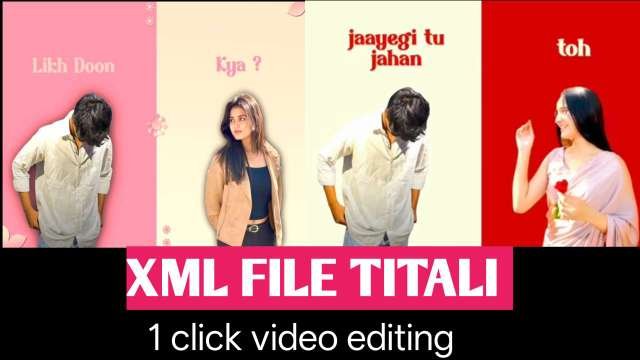
What is Alight Motion?
Alight Motion is one of the most popular mobile video editing apps used by creators to make professional-looking edits, transitions, and motion graphics directly from their phones. It supports keyframe animation, color correction, effects, and advanced blending — all within a simple interface.But do you know what makes Alight Motion even more powerful?
What is an Alight Motion XML File?
An XML file in Alight Motion is a template project file that contains all the settings — such as effects, layers, keyframes, fonts, and transitions — used in a video.By importing an XML file, you can instantly load another creator’s edit and customize it with your own photos, videos, or text.For example, you can download trending “beat sync” edits, name transitions, or lyrical templates through XML files and simply replace media to make your own professional-style video.
How to Use XML Files in Alight Motion
Follow these simple steps to use XML files in your Alight Motion app:
Download the XML file
Get the XML project file from trusted sources or your favorite editing creators.Make sure the file is compatible with your Alight Motion version.
Import the XML
Open Alight Motion on your Android or iPhone.Tap “+” → Import Project → Select the downloaded XML file.
Edit Your Video
Replace images, text, or clips with your own media.Adjust music timing and colors as you like.
Export and Share
Once your edit is done, tap Export and save it in high quality.Share it on Instagram Reels, YouTube Shorts,
Benefits of Using XML Files in Alight Motion
✅ Save time — no need to recreate effects manually
✅ Learn professional editing techniques by studying XML projects
✅ Customize trending edits in minutes
✅ Perfect for beginners and advanced users alike
Best XML File Types You Can Try
Beat Sync EditsName Transition TemplatesGlow & Shake Effect TemplatesLyrics and Status Video TemplatesBirthday or Couple Edit Templates
Where to Download XML Files
You can find free and premium XML files from:Editing creators on Youtube telegram groups and editing Community websites that offer Alight Motion project files

Final Thoughts
If you want to create eye-catching and professional-quality videos on your phone, using Alight Motion XML files is the best shortcut. You’ll save time, learn new editing styles, and make your videos stand out on every platform.Whether you’re editing for Reels, Shorts, or personal projects, XML templates make your editing journey simple and creative.