
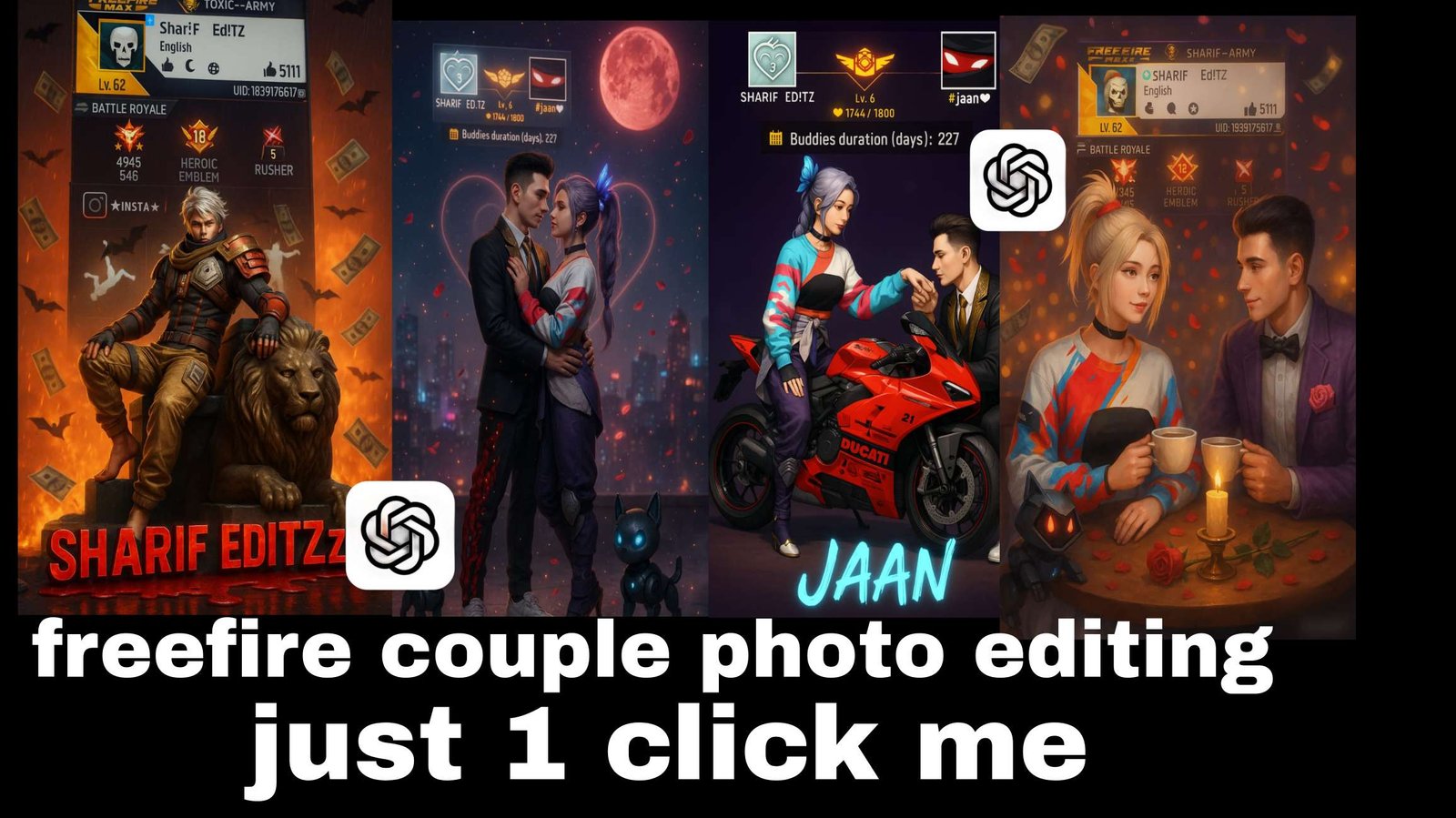
Chatgpt Free Fire Ai Photo Editing Prompts – You all know that whatever Instagram trending reel goes viral, we share their editing with you. So that you can create that kind of video in a very good way. You must have seen that a lot of deals are going viral on Instagram in a new way. In which people are doing different free fire editing. You know that the audience of free fire is so huge. If you want a video. Then the photo can easily go viral. If after seeing your photo, it seems that they can also create that photo like this. It can definitely happen and I will tell you that you can also teach them. Along with this, you can also learn yourself. How can you create such a photo. If you want the rest of the details of the photo, then I am explaining
Info – Chatgpt Free Fire Ai Photo Editing Prompts
Now let’s talk about the details of editing, what is it that people are liking this type of editing for. There is something in which their own personal thing is added to it, only then it goes viral. Like if you see in this image, here first of all you will see your name. Along with this, you will see an ID here. Which is the ID of this game. Whose name is Free Fire and in this game you have to use the screenshot of your ID. Along with this, you can use your favorite character.
In place of that, if you want, you can also use your own photo. How to do this. That is what I am going to tell about it, here I have given the details of the image that this type of your image is going to be created. I have also shown you by putting the image here. Like this you can create it
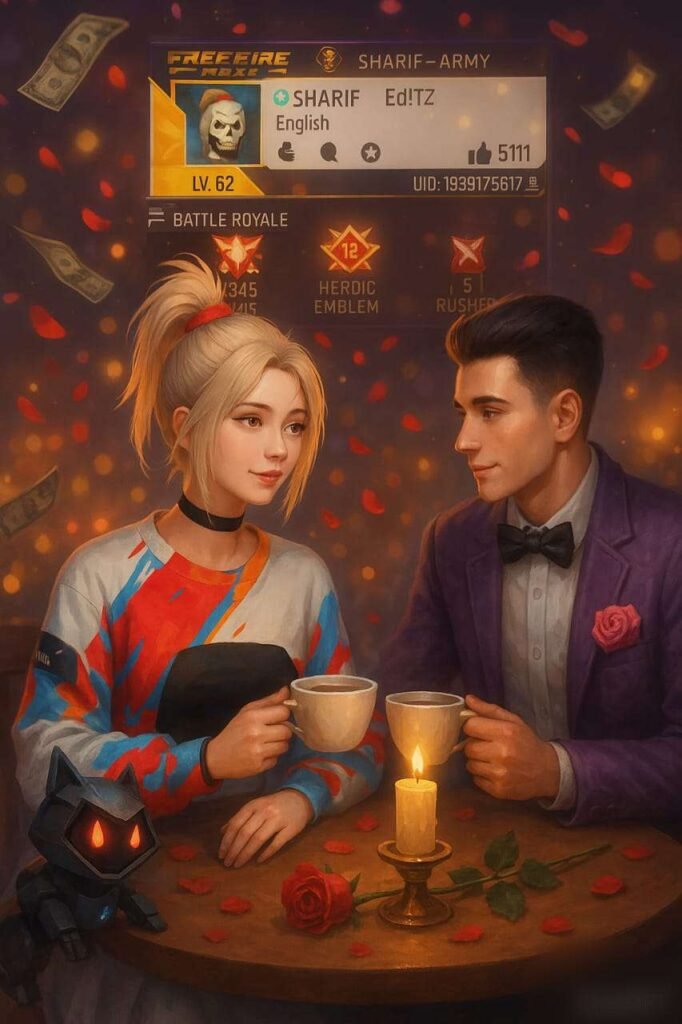
Prompt ⤵️
Create a romantic Free Fire couple digital painting using the uploaded female character as the main focus. She is sitting at a candlelit table with a male Free Fire character, sharing a coffee in a cozy atmosphere. Rose petals are falling, with soft glowing lights and a dreamy background. Include her Free Fire profile screenshot in the background, slightly blurred with glowing highlights. Add a robotic pet beside her and flying money to give it a dramatic gaming vibe. Keep the character design, outfit, and appearance exactly as in the uploaded image.” Aspect Ratio: 9:16
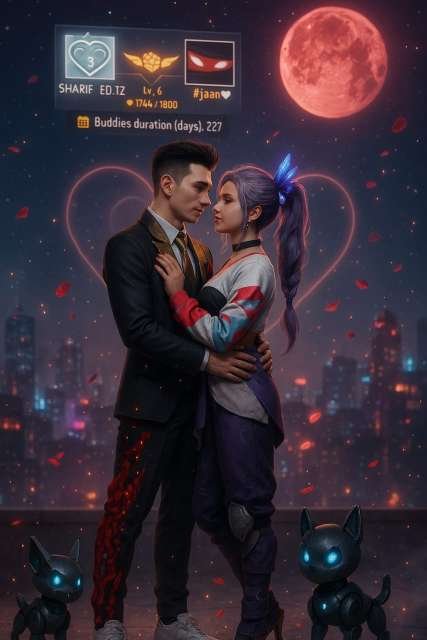
prompt⤵️
“Create a 3D-style digital scene using the uploaded Free Fire characters exactly as they are, without altering their outfits, poses, or facial features. Keep their original in-game 3D look and sharp textures. Place them on a moonlit rooftop with glowing cyberpunk city lights in the background. Add sparkles in the air, glowing rose petals floating gently, and soft fog at their feet. Above them, a dreamy night sky with twinkling stars and a glowing red moon. Include faint neon heart outlines behind them. Use cinematic lighting — a soft spotlight from behind them highlights the couple. The characters are in a close romantic pose: the male gently holds the female’s waist, while she softly touches his shoulder, both leaning in lovingly. Their robotic pets stand nearby, guarding them, with glowing blue eyes. Add magical glowing particles and soft mist for a romantic fantasy vibe. In the background, place a large, slightly blurred glowing Free Fire profile screenshot like a holographic billboard, adding a magical gamer atmosphere. Aspect ratio 9:16. The characters must retain their full 3D Free Fire game model appearance — do not stylize or redraw them.”
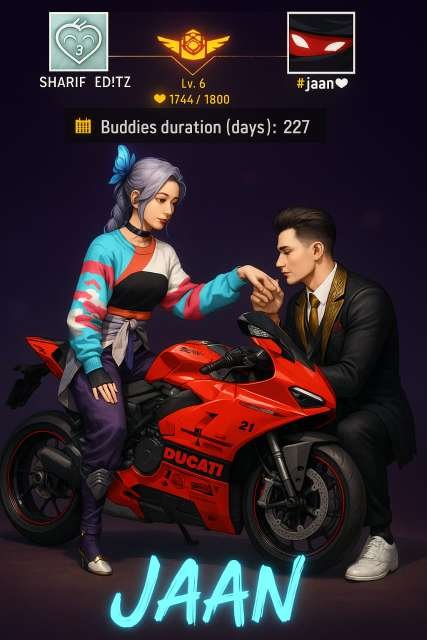
prompt⤵️
Create a semi-realistic digital illustration featuring two Free Fire characters in a cinematic pose. The female character should be sitting confidently on a high-performance, sleek red sportbike. Her appearance should match the uploaded character — wearing a multicolored oversized sweater, purple pants, and heels, complete with her distinct butterfly hair accessory. The male character should be kneeling beside the bike, holding the female’s hand in a gentle manner, as if about to kiss her hand. The male character’s look should also reflect the uploaded appearance, wearing a formal black suit with a golden accent, white sneakers, and a neat hairstyle.
Ensure that the bike is highly detailed, showcasing every curve and edge of the motorcycle, with bright lighting that emphasizes its futuristic and sleek design. The bike should appear proportional to the character, neither too large nor too small.
The background should feature a fully detailed Free Fire-style interface, showing character profile details, stats
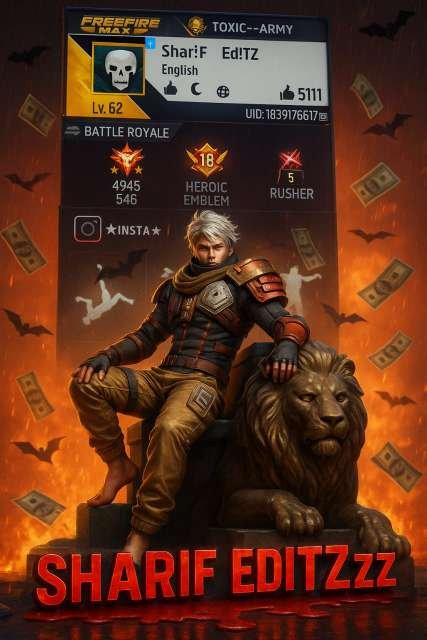
prompt⤵️
Create a highly detailed 3D cinematic poster in 9:16 aspect ratio featuring a Free Fire–inspired male character (from the uploaded reference), sitting like a king on a large stone throne with his left leg raised, right leg down, and right hand resting on the head of a fierce lion statue beside him. The lion should appear powerful, majestic, and slightly growling, also in a seated position.
The background should be filled with intense fire and glowing embers, with multiple black bat silhouettes flying in the air. Add dramatic rain falling across the scene, and realistic flying money notes swirling around, creating an atmosphere of cinematic tension and victory.
At the bottom of the poster, overlay bold glowing 3D gaming-style text:
“YOUR TEXT”
The text should be red with a black bleeding effect, where the blood drips down to the ground and forms a floating gradient puddle. The glow around the text should enhance readability while keeping the blood effect vivid.
Place the uploaded Free Fire profile screenshot clearly in the background, ensuring all stats, icons, text, badges, numbers, and tags are sharp, readable, and not blurred or covered by any elements.
Use soft shadows, high-contrast lighting, and subtle rim lighting on the character and lion to separate them from the background without overlapping important details from the profile. Keep every element sharp, realistic, and richly textured.
Image You Use
Look, now I have told you about the details here and I am also telling you what kind of image is being used in it. Here you can create it in two types of styles. First, the name that you will see in it. You can add that name in it. That will work. No problem, if you want to take a screenshot, then you have to go to the profile option in your free fire. There you take a screenshot of it and it is okay. Then after that you can use it. Second, you have another option.
You have to upload another photo here. You can upload the photo of your character. You can upload the photo of whatever character you have in the game. You have another option, instead of that you can also upload your own photo. That will also work because people are doing that kind of editing as well. That is also going viral.
How To Use Chatgpt Free Fire Ai Photo Editing Prompts
Now you can copy any of the prompts we have provided, with which you can do a good editing. So copy the prompt we have given here and after that upload the image in chatgpt. As I have told you to upload the image. Upload the image there. Then paste the prompt and just click on the generate option. Your image. You will make and be ready, and I think that this image will be ready after you make your image. It is possible that the face in it may be mismatched. If you have uploaded your photo in place of character. If you have uploaded character then there is no problem, it will work. But if the face is mismatched. You can use app for that. With which your face will be fixed.
Overall
And if you want, you can also record the screen of this thing and upload the video of the process explained by me. This also works quite well and our video can also go viral with this, so these were some simple details about which if you want to do editing then you can do it easily.
About me-
Mkedit.in, and my real name is gaurav solanki. I’m a social media influencer and a full-time YouTuber with over 30k subscribers. or 500k followers in instagram I create content about photo editing, reel video editing, and CapCut templates, and bing image creating prompts,which I share on my Instagrams