
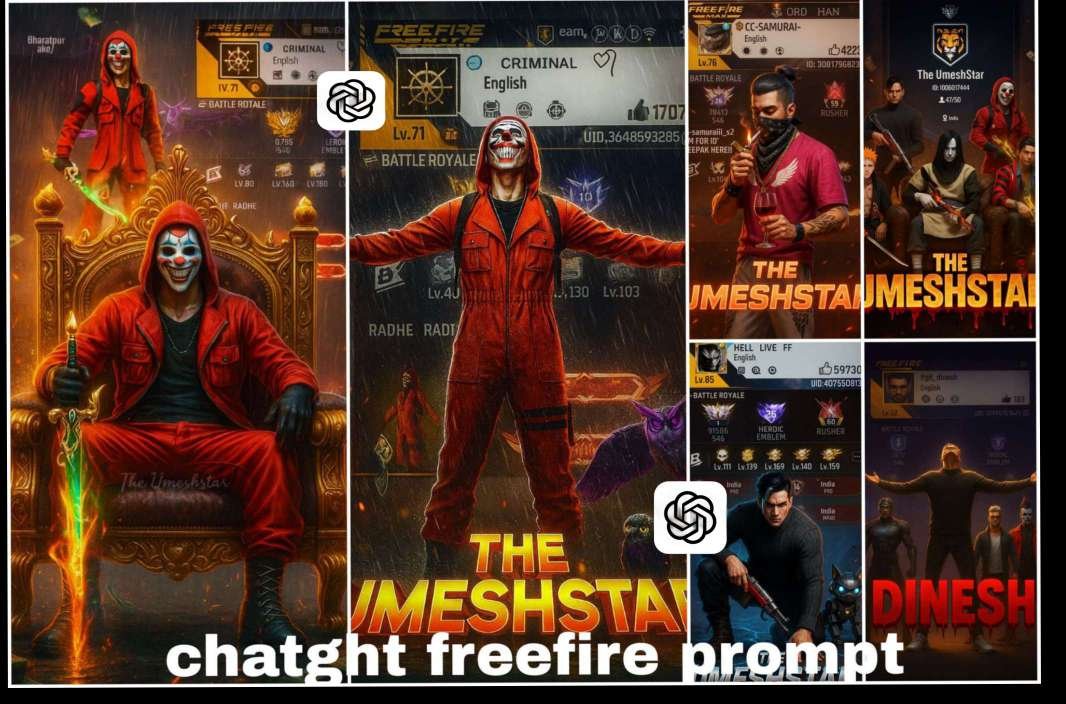
FREE FIRE 🔥 CHATGHT VIRAL PROMPT PHOTO EDITING
Free Fire content that goes viral on Instagram usually falls into these categories:1. Gameplay Highlights – insane headshots, clutch wins, 1v4, grenade tricks.2. Funny/Fails Moments – unexpected kills, glitches, trolling friends.3. Tips & Tricks – sensitivity settings, gloo wall tricks, fast movements.4. Challenges/Trends – using trending songs, filters, or challenges.5. Emotional / Relatable Content – squad loyalty, last zone clutch, “when your friend steals your kill.”
ABOUT FREE FIRE 🔥 CHATGHT AI VIRAL PROMPT PHOTO EDITING
Free Fire is one of the most popular mobile battle royale games, and millions of players love to customize and share their gaming posters, thumbnails, and profile pictures online. In 2025, Artificial Intelligence has taken editing to the next level. With the help of ChatGPT prompts, you can now create high-quality Free Fire edits instantly without needing advanced editing skills
AI photo editing prompts are short text commands that describe the type of image you want to create. For example:“A cinematic Free Fire poster of a warrior holding a glowing gun, neon smoke background, ultra-HD 4K style.”
Now let’s talk about the details of editing, what is it that people are liking this type of editing for. There is something in which their own personal thing is added to it, only then it goes viral. Like if you see in this image, here first of all you will see your name. Along with this, you will see an ID here. Which is the ID of this game. Whose name is Free Fire and in this game you have to use the screenshot of your ID. Along with this, you can use your favorite character.
In place of that, if you want, you can also use your own photo. How to do this. That is what I am going to tell about it, here I have given the details of the image that this type of your image is going to be created. I have also shown you by putting the image here. Like this you can create it
USE IN ALL VIRAL PROMPTS
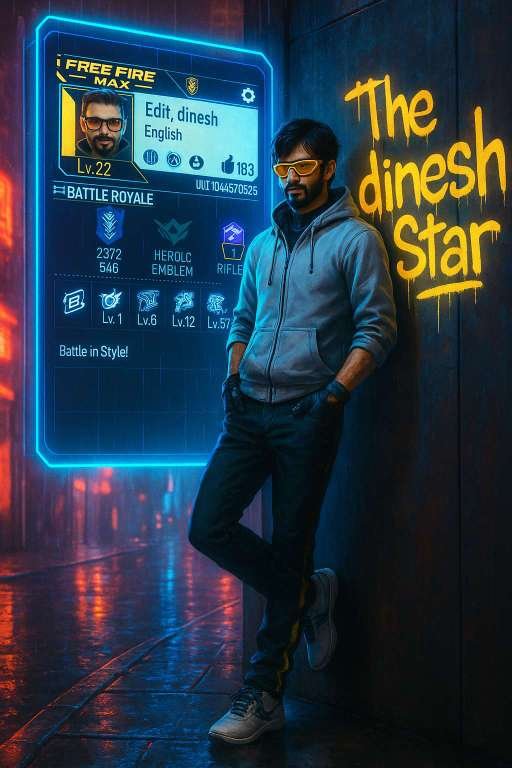
Prompt ⤵️
Create a high-resolution vertical 9:16 cyberpunk gaming poster. Use the uploaded Free Fire MAX character image exactly as shown, keeping the same face, outfit, hairstyle, mask, tattoos, gloves, pants, and shoes. The character should stand stylishly with both hands in pockets, leaning casually against a wall in a neon-lit rainy street. Remove all Chinese or foreign language signs from the background.
On the wall beside the character, add glowing yellow graffiti text: “The UmeshStar” with a dripping paint effect.
Display the uploaded Free Fire MAX profile screenshot on a large, glowing holographic panel beside the character in wall, making sure all text and details are perfectly visible, sharp, and unobstructed. Increase brightness and add soft ambient light so the character, profile card, and surroundings are all clear and easy to see.add light for clearly visible,no dark maintain a vibrant cyberpunk atmosphere with blue and red neon reflections, glowing street lamps, and lightly reflective wet pavement.
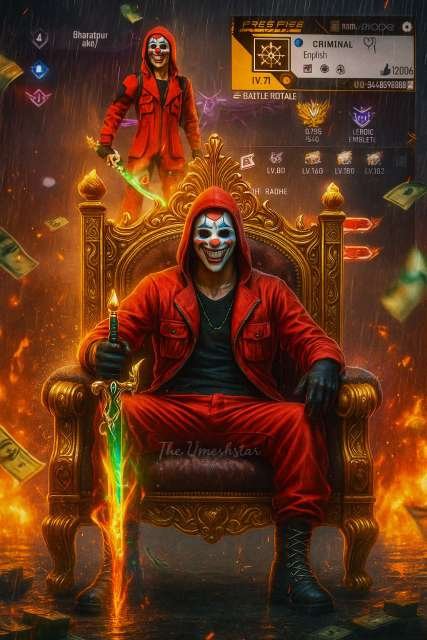
PROMPT ⤵️
Create a cinematic digital poster for a Free Fire MAX player and a high resolution 3d digital illustration in a vibrant, cinematic image exactly as it is – including the original outfit, hairstyle, face.
In the background, clearly display the uploaded profile screenshot without hiding or blurring any part. The image should remain sharp and readable every detail that naturally appears in the profile (such as stats, icons, text, badges numbers, tags, button) must be fully visible and understandable to the viewer. Write a ” The Umeshstar” as a watermark in the behind of the character image in italic font ( single time ).
In the foreground, place the uploaded character image sitting in a king throne pose full confidence. Add a dramatic rain, flying money, cinematic glow, and soft shadows to enhance the atmosphere. Add fire particles, glowing energy effects, and digital money floating in the air. Use contrast to make sure both the character and the profile are clearly visible and not overlapping confusingly use character single time when he sits on the throne. Ensure high contrast so that the character, text, and profile elements all remain visually clear and not confusing or overlapping.
The final image should look like a professional gaming poster with cinematic and energetic vibes ( Ratio 9:16 )
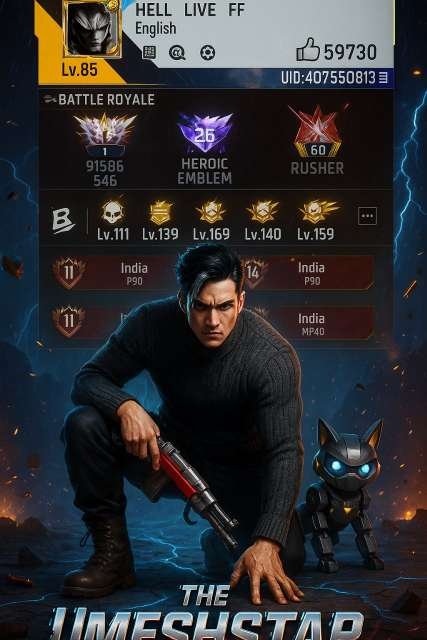
prompt⤵️
Create a cinematic digital poster for a Free Fire MAX player and a high resolution 3d digital illustration in a vibrant, cinematic image exactly as it is – including the original outfit, hairstyle, face and a high-impact digital poster for a Free Fire MAX player. In the background, display the player’s in-game profile (use the uploaded screenshot) in sharp focus without any blur or obstruction—every element including icons, stats, badge, and UID must remain crisp and legible.In the foreground, place the character (based on the uploaded image) in a confident superhero landing pose—one knee down, one hand gripping the ground. His face, looking straight ahead with fierce eyes and a stormy expression, reflects victory and dominance. His robotic pet stands beside him, also ready for battle.Design the background as a dark futuristic battlefield with glowing blue cracks on the ground, sparks in the air, heavy rainfall, and neon lightning striking in the sky. Add floating currency, shattered armor pieces, and a subtle purple-orange cinematic flare from a distant explosion.In the center-bottom, add bold, chrome-finished, embossed text:
“The UmeshStar”
Apply a glitch effect with trailing neon-blue lines and a burning red energy burst emerging from behind the text. Ensure excellent contrast between the character, profile, and effects to keep all elements visually distinct.
The final image should look like a professional gaming poster with cinematic and energetic vibes ( Ratio 9:16 )
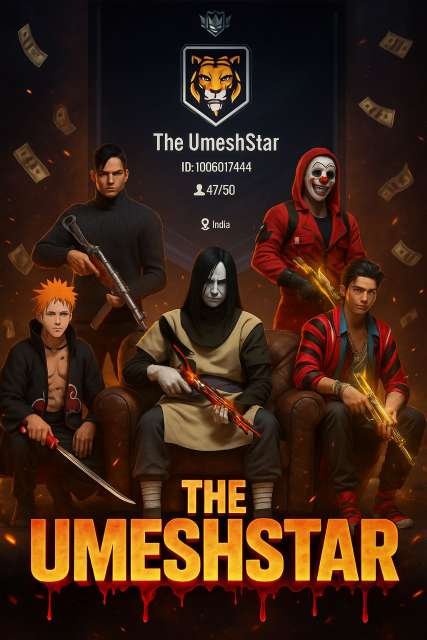
Prompt⤵️
Create a cinematic digital poster for a Free Fire MAX player and a high resolution 3d digital illustration in a vibrant, cinematic image exactly as it is – including the original outfit, hairstyle, face.The composition should replicate the exact pose and arrangement from a reference image of five masked men, with no changes in their positions or angles. Replace each masked man with specific Free Fire characters provided, ensuring identical poses, gestures, and body orientation to the original. The central (middle) character must be seated on a large padded sandbag chair, holding a gun in the exact same pose as the original image. Keep the other four characters standing or crouching around him exactly as shown in the reference.Background: Place the uploaded Free Fire profile screenshot of the “ Guild name” guild clearly behind them, without blurring or hiding any part. All details, such as stats, icons, numbers, guild ID, and text, must remain sharp, readable, and fully visible. Maintain the dark atmosphere but slightly increase brightness and contrast so character and profile details are clear and visually striking.At the bottom of the poster, overlay bold, glowing, 3D gaming-style text that reads “The UmeshStar” in capital letters. The text should have a bleeding black-red blood effect, with the blood dripping downward and a floating gradient effect. The style should match high-quality gaming posters with realistic lighting, shadow depth, and character detailing.Add a dramatic air flow, flying money, cinematic glow, and soft shadows to enhance the atmosphere. Add fire particles, glowing energy effects, and digital money floating in the air. Use contrast to make sure both the character and the profile are clearly visible and not overlapping confusingly use character single time. Ensure high contrast so that the character, text, and profile elements all remain visually clear and not confusing or overlapping.The final image should look like a professional gaming poster with cinematic and energetic vibes ( Ratio 9:16 )
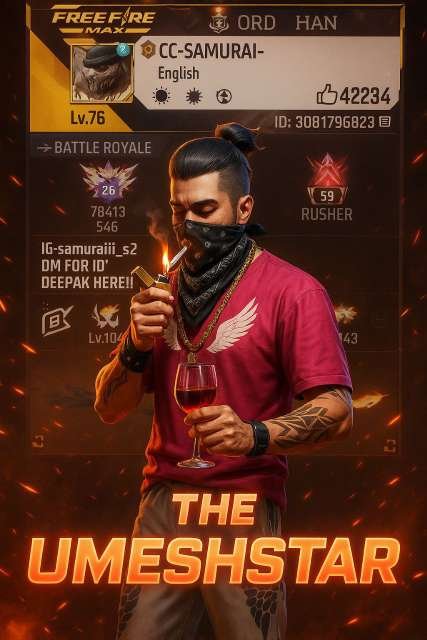
prompt⤵️
Create a cinematic digital poster for a Free Fire MAX player and a high resolution 3d digital illustration in a vibrant, cinematic image exactly as it is – including the original outfit, hairstyle, face.
In the background, clearly display the uploaded in-game profile screenshot without hiding, darkening, or blurring any important part. Every detail in the profile — including stats, icons, text, badges, numbers, tags, and buttons — must remain sharp, readable, and fully understandable to the viewer.
In the foreground, place the uploaded Free Fire in-game character in the exact same confident pose as the man lighting a cigarette in the reference photo — holding a lighter near the mouth with smoke rising and a glass of wine in the other hand. The character should be full-body, detailed, and match the armor/outfit exactly from the reference game model.
Remove any unnecessary extra characters from the scene.
Add dramatic wind and flying fires particle around the character to create a sense of cinematic tension and victory. Use soft shadows, high contrast lighting, and subtle rim lighting to separate the character from the background without overlapping any important profile information.
At the center-bottom of the poster, overlay bold glowing 3D text reading “THE UMESHSTAR” in a red-to-orange neon gradient. The font should be bold, futuristic, with a soft glow and light shadow for depth.
The final image should look like a professional gaming poster with cinematic and energetic vibes ( Ratio 9:16 )
Images You Can Create.
Creating gaming posters and images with ChatGPT in 2025 is easier than ever. You don’t need advanced Photoshop skills – just the right AI prompts and tools. With ChatGPT, you can generate professional-looking Free Fire posters, thumbnails, logos, and wallpapers in minutes.
Step-by-Step Guide
1. Choose an AI Tool
To make posters using ChatGPT, you need an AI image generator. Some popular options are:
2. Write a Perfect Prompt
Prompts are short text commands that describe what kind of image you want. The more detailed your prompt, the better your poster will look.
Example Prompt for a Poster:
“Cinematic Free Fire poster, a warrior holding a glowing gun, neon background with purple smoke, epic battlefield vibes, ultra-HD 4K style, realistic details.”
Generate the Image
Paste your prompt into the AI tool and click generate. Within seconds, the AI will create your Free Fire poster or gaming image.
Customize (Optional)
You can refine your poster using editing apps like PicsArt, Photoshop, or Lightroom. Add your gamer name, clan tag, or custom logo for a more personalized design.