
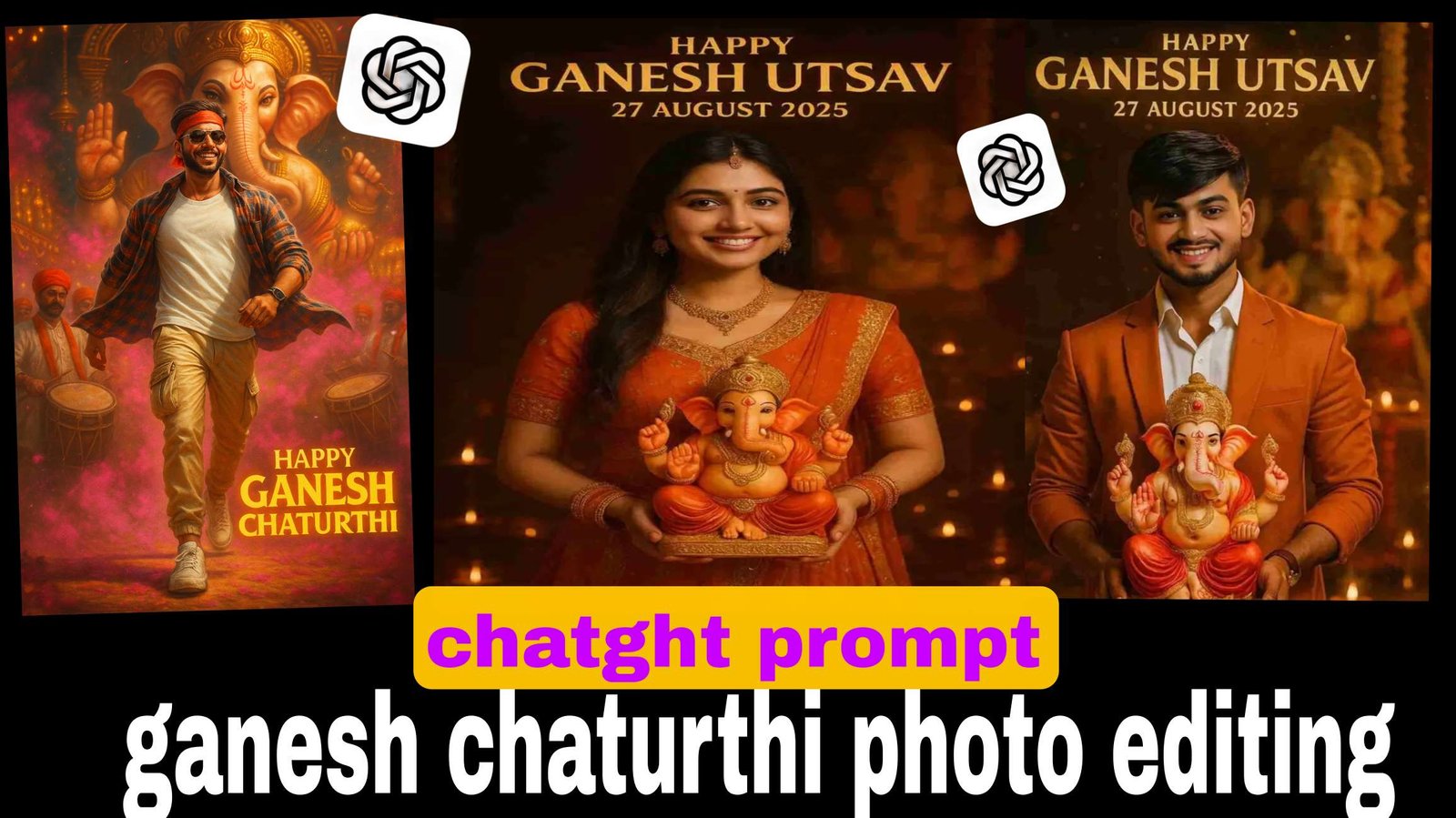
ganesh chaturthi chatgpt prompt photo editing 1 click me
So friends, since AI-generated images with ChatGPT are trending on social media right now, we thought—why not make this Ganesh Chaturthi even more special? 🎉
That’s why we’ve brought you a collection of AI photo prompts for Ganesh Chaturthi.
In this post, you’ll find the best ChatGPT prompts for Ganesh Chaturthi photo editing. With the help of these prompts, you can easily create highly detailed, cinematic-quality festival photos featuring your own face.
Let’s dive in and explore the top Ganesh Chaturthi ChatGPT prompts! ✨
Do you want me to also add multiple ready-to-use prompts (cinematic, devotional, stylish hero look, family vibe) so it looks like a complete post?
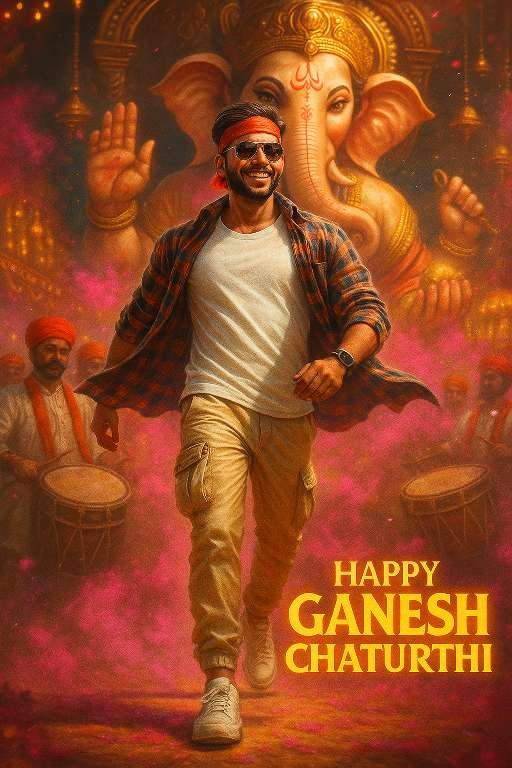
prompt⤵️
Cinematic Ganesh Chaturthi Poster ✨👇👇
“Ultra-realistic 4K cinematic portrait of making a heroic entry during Ganesh Chaturthi. Grand Ganesh idol, festive pandal, dhol players, gulal in air. Young man( use the upload image exactly) in white T-shirt, checked shirt flying, cream cargo joggers, white sneakers, red headband, sunglasses, smartwatch, confident smile. Low-angle cinematic shot with glowing text: ‘Happy Ganesh Chaturthi’.”
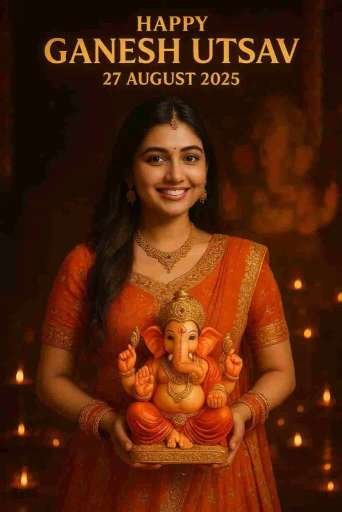
prompt ⤵️
Ultra-realistic festive portrait of the same young Indian woman from the reference image, smiling and holding a colorful Lord Ganesha idol in her hands. She is wearing a traditional elegant orange and golden lehenga with intricate embroidery, matching jewelry, and a small red bindi on her forehead. The background is beautifully decorated with glowing diyas, warm golden festive lights, and blurred idols, creating a divine celebration atmosphere. At the top, the text reads: “Happy Ganesh Utsav – 27 August 2025” in bold golden letters. Bright cinematic lighting enhances her graceful look and highlights the divine aura of the festival.
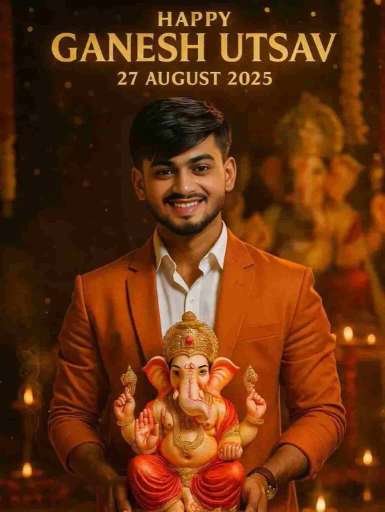
prompt⤵️
“8K ultra-cinematic vertical portrait (9:16) — A young Indian man, face and hairstyle matching the reference image, smiling at the camera. He wears a crisp white shirt with rolled-up sleeves, a saffron suit, and black pants with slight tears, giving a modern look. He holds a detailed idol of Lord Ganesha with a golden crown, red dhoti, and jewelry. Behind him stands a grand Ganesha idol, with warm golden light, bokeh, marigold garlands, glowing diyas, incense smoke, and sparkling golden particles creating a divine aura. In the sky, golden text reads: ‘Happy Ganesh Utsav 27 August 2025’.”
Step-by-Step Guide to Creating Ganesh Utsav Photos Free Using ChatGPT
Creating AI-edited festival photos has become super easy and trendy. With just one prompt and your photo, you can make a stunning Ganesh Utsav poster in minutes—without spending money. Here’s how you can do it:
Step 1: Choose a Good Photo of Yourself
Pick a clear, high-quality photo where your face is visible. The better your photo, the more realistic the AI output will look.
Step 2: Open ChatGPT with Image Editing Feature
Login to ChatGPT (with image generation enabled) or use any AI image tool that supports prompts.
Step 3: Copy a Ready-Made Ganesh Utsav Prompt
Here’s a sample prompt you can use
Step 5: Generate the Image in One Click
Click “Generate” or “Create” → within seconds, your Ganesh Utsav poster will be ready.
Step 6: Customize if Needed
Not happy with the first result? Try small tweaks like changing your outfit description, adding smoke/gulal effects, or adjusting lighting for a more cinematic vibe.
Step 7: Save & Share
Once you’re happy with the result, download it in high quality and share it on WhatsApp, Instagram, or Facebook to join the festive trend. 🎉
✅ That’s it! In just a few steps, you can create Ganesh Utsav festival photos for free using ChatGPT.
👉 Do you want me to also add a set of 5–6 different pre-written prompts (hero entry, devotional vibe, modern stylish look, family photo, etc.) so your readers can just copy-paste and try variations?