
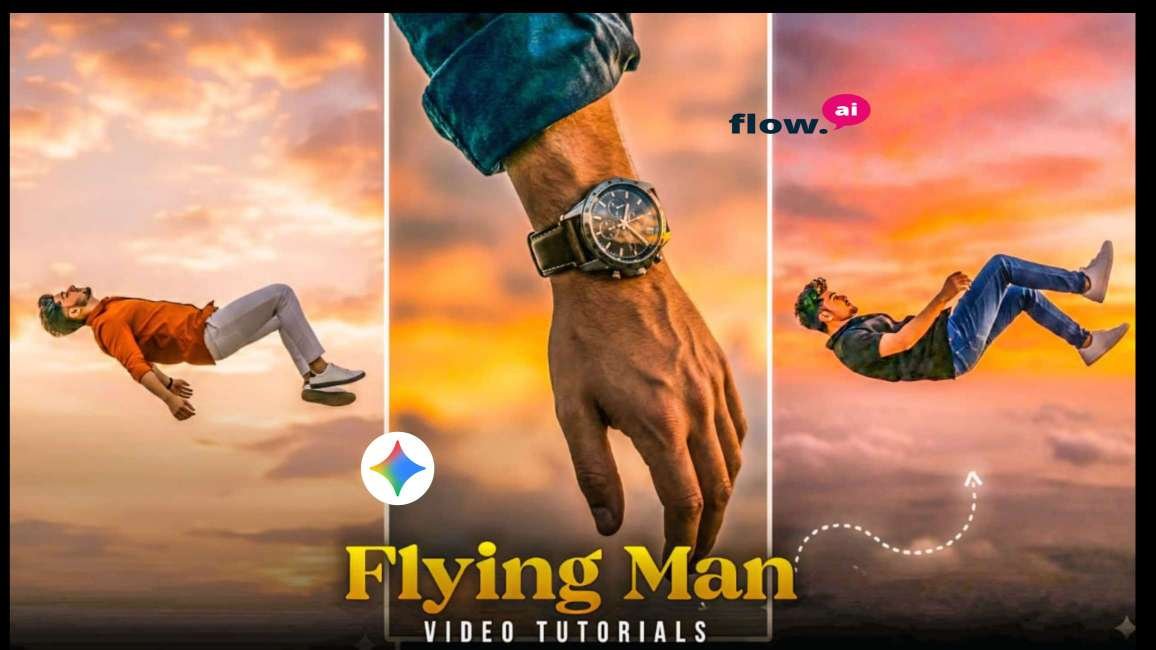
Google Gemini And flow Ai Fly Man Photo And Video Editing Prompt by mkedit
As we enter the New Trand viral. prompt, AI photo editing is trending more than ever—especially with Google Gemini, which has become one of the most powerful tools for creating high-quality, realistic, and aesthetic images. Whether you are a creator, editor, or beginner, using the right New prompt-themed prompts can help you generate stunning photos for Instagram, YouTube thumbnails, reels, or personal memories.In this blog, you’ll find the best New Year trending Gemini prompts, how to use them, and tips for creating professional AI edits.What Is Google Gemini
What Is Google Gemini Photo Editing?
Google Gemini is an advanced AI model that allows users to generate and edit photos using simple text prompts. From creating realistic portraits to festive celebration scenes, Gemini understands your description and produces high-quality AI images.For New Year events, creators mostly use Gemini to generate:New Year party backgroundsFestive lighting and fireworksCouple photosSolo portraitsCinema-style photosCelebration-themed fashion edits
How to Use Google Gemini for Photo Editing?
Step-by-Step Guide
1.Open Google Gemini on mobile or desktop.
2.Select Image Generation or “Upload Image + Edit.”
3.Type a clear and detailed prompt.
4.Add style: realistic, aesthetic, cinematic, HD.
5.Mention background, lighting, clothing, and mood.
6.Generate the image and download

Prompt👇
A cinematic surreal photo of a young man floating in the sky as if gravity has stopped, full body visible, wearing a black hoodie, black pants, sneakers and a cap, arms and legs relaxed, dramatic slow-motion pose. Two modern fighter jets flying nearby in the background, one above and one below, creating a powerful action scene. Golden sunset sky with warm orange and yellow tones, soft clouds, strong backlighting, realistic shadows, ultra-realistic, high detail, cinematic lighting, shallow depth of field, 8K quality, photorealistic, dramatic composition, movie still, epic atmosphere. 100% face match.

Prompt 👇
A cinematic surreal photo of a single young man floating in the sky, full body visible, wearing a black hoodie, black pants, sneakers and a cap. The person is slightly tilted as if gently falling or levitating in mid-air. Minimal composition with vast open sky. Soft golden sunset clouds background, warm pastel yellow and orange tones. Dreamy, calm, aesthetic mood. High contrast silhouette style, realistic human proportions, ultra-realistic, cinematic lighting, depth of field, 4K quality, vertical frame, modern Instagram aesthetic.
How to create ai man fly video editing
Creating a fly man -style video is very easy using the flow App. Follow the steps below to make a smooth, aesthetic walking animation:
Step 1: Install and Open flow App
Creating a ai fly man-style video is very easy using the Glow App. Follow the steps below to make a smooth, aesthetic walking animation:
Step 2: Create or Import the ai fly Photo
If you already have an AI photo (created from Gemini or any AI tool), import it.If not, create one first, then follow these steps:1. Tap Create New Project
2. Select your generated girlfriend photo
3. Add it to the timeline
Step 3: Use the flying Animation Feature
Glow App provides AI movement effects. To apply the walking effect:
1. Select the Photo Layer.
2. Go to AI Effects or Motion Effects
3. Choose Animation / dance Girl Effect
4. Adjust speed, direction, and smoothness
5. Preview the movement
Video prompt👇
Camera tracks and pans downward with a falling human figure, starting tiny high in the sky and growing larger as they descend through clouds, slowing into a brief levitation as fighter jets streak past behind them at high speed.
How to Sign In to the Flow AI Website?
Signing in to the Flow AI website is very simple. Just follow the steps by step
Step 1: Visit the Official Flow AI Website
Open your browser and go to the official Flow AI site
Step 2: Click on “Sign In”
On the homepage, look for the sign in / login button (usually at the top-right corner).
Step 3: Choose Your Login Method
Flow AI generally allows login through:Google Account email & Password other supported accounts (if available)Select the option you prefer.
Step 4: Enter Your Details
If you are signing in with Google, just select your account.If you are using email, type your email and password.
Conclusion
Google Gemini 3D Photo Editing is a game-changer for digital creators. With AI-powered tools, anyone can create cinematic, professional, and realistic 3D images without needing advanced editing skills. Whether you want to design viral social media posts, eye-catching YouTube thumbnails, or creative digital art, Gemini makes the process simple and powerful.The future of photo editing is here, and it’s 3D – powered by Google Gemini!