
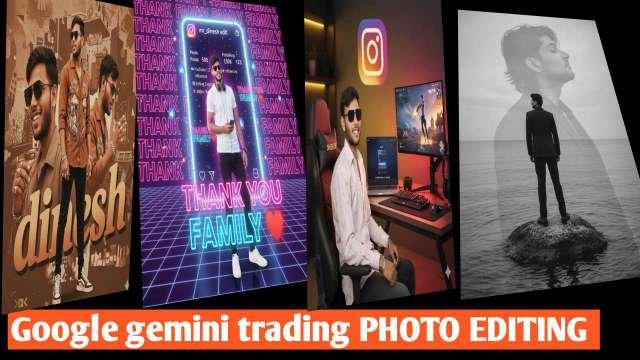
In today’s digital era, photo editing is no longer just about adjusting brightness or adding filters. With the rise of AI-powered tools, 3D photo editing has become a trend, giving images a lifelike and cinematic touch. One such powerful innovation is Google Gemini 3D Photo Editing. Whether you are a content creator, YouTuber, or social media influencer, this tool helps you transform ordinary images into professional 3D-style masterpieces.In this blog, we will explore what Google Gemini 3D Photo Editing is, how it works, its features, and how you can use it to create viral content.
What is Google Gemini 3D Photo Editing?
Google Gemini is an advanced AI model developed by Google DeepMind, designed to understand text, images, videos, and more. Using this technology for photo editing allows users to create high-quality 3D effects with realistic depth, shadows, and cinematic lighting.Unlike traditional editing apps, Gemini uses AI prompts where you describe the style, effect, or transformation you want, and the system automatically generates stunning 3D visuals.
Key Features of Google Gemini 3D Photo Editing
Realistic 3D Depth – Add layers, shadows, and highlights to make photos look three-dimensional.Cinematic Effects – Create professional movie-like scenes with lighting and contrast.AI-Powered Prompts – No need for manual editing; just type what you want.Custom Backgrounds – Replace or enhance backgrounds with high-resolution 3D visuals.Easy for Beginners – Even without editing skills, anyone can create professional results.
AAL PROMPT ⤵️
Prompt ⤵️
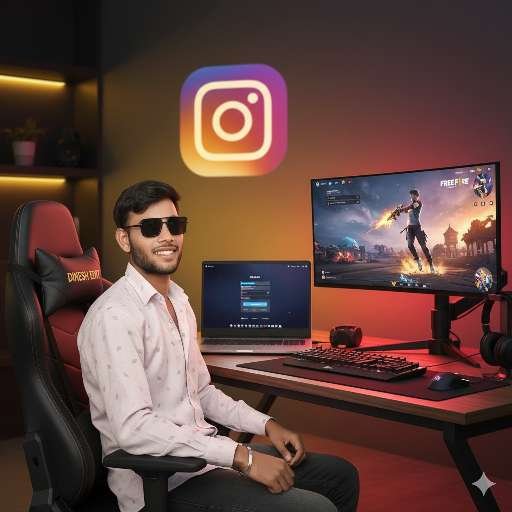
A free fire gaming character (uploaded Image) sitting at a desk with a laptop open in front of him.his outfit, face, hairstyle will remain same, He is looking directly at the camera. In the background, Instagram log there’s a computer monitor displaying a free fire GAME, yellow mix red mix lights illuminate the gaming setup. He is sitting in a black gaming chair with “dinesh edit” written on it. The overall atmosphere is modern.
prompt⤵️
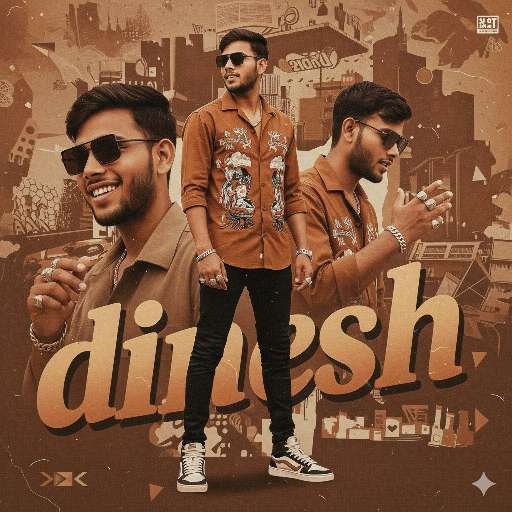
A retro-urban styled poster featuring a young refference with image artist in multiple poses. He wears a brown casual shirt and cinematic black and white background embroidered on the back. , multiple silver rings and bracelets emphasize his flashy. The design is layered with close-up portraits, warm brown tones, bold typography reading “dinesh”, and a modern magazine-style collage aesthetic, representing Afrobeat and street culture.
prompt⤵️
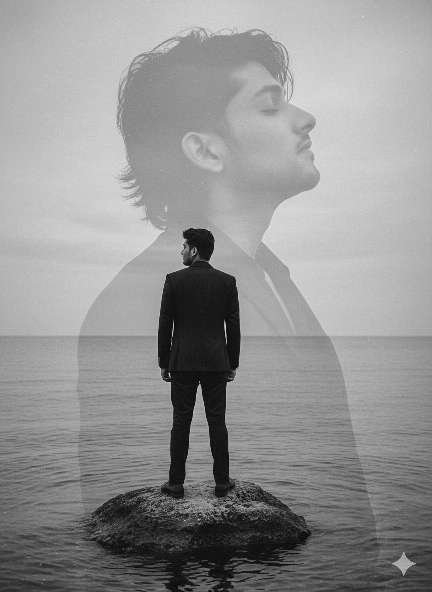
A double exposure composition in black and white. In the foreground, a man (like the man in this photo-realistic) is standing with his back to the camera, his head turned to the left, gazing at the horizon. He is wearing a black blazer and pants ensemble, and is standing on a rock in a body of water (sea, lagoon, or lake). Continuation: In the background, in an overlapping and translucent silhouette, the profile of the same man’s face appears with his eyes closedand head raised, his hair slightly tousled downward. The setting is a cloudy or overcast day, with the horizon of the sea or water stretching out. The lighting is diffuse, creating a melancholic and artistic atmosphere. The image has a vintage, grainy, and artistic touch.
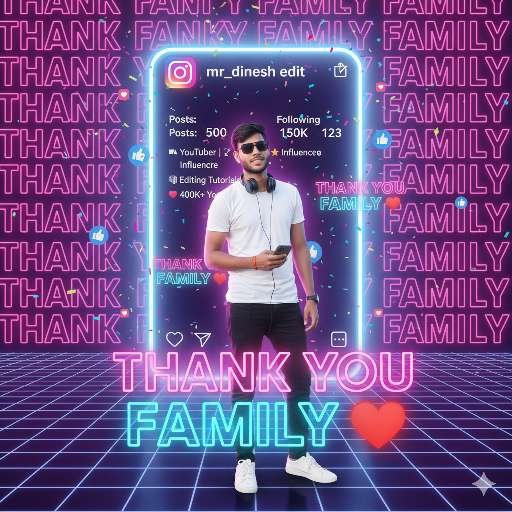
prompt⤵️
A young man is standing confidently with a smartphone in hand.
Outfit: Plain white t-shirt, black jeans, white sneakers, headphones hanging around his neck.
Pose: Natural, casual, but proud.
Instagram Profile Screen behind him (glowing, hologram style):
- Username: jay Shree Ram
- Profile Name:edit gaurav1
- Posts: 100
- Followers: 350k
- Following: 8
- Bio lines only:
🎥 YouTuber | ✂️ Editor | 🌟 Influencer
🧠 Editing Tutorials
❤️ 400K+ YouTube Family
Celebration Text:
Show the words in ALL CAPITAL letters:
“THANK YOU FAMILY ❤️”
- Very large in the foreground (front of the boy, glowing hologram text)
- Medium size floating behind him
- Huge faint glowing text in the background (covering the scene like a neon wall)
Design Style:
- A futuristic neon Instagram world.
- Floating Instagram icons (hearts, likes, follows, messages) around the character.
- Lighting: cinematic, glowing pink and blue neon.
- Add confetti particles (colorful celebration effect).
- Make the poster look premium, professional, and powerful for a milestone celebration.
Final Output:
A professional milestone celebration poster where the uploaded face photo is perfectly matched and 100% real, merged naturally into the digital Instagram 3D world.
How to Use Google Gemini for 3D Photo Editing
Here’s a simple step-by-step guide:Access Google Gemini – Open Gemini through Google AI tools or apps that support Gemini integration.Upload Your Photo – Choose a high-resolution image for best results.Write a Prompt – For example:“Create a 3D cinematic portrait of a boy wearing a black jacket, glowing neon background, with depth and shadows.”Generate & Edit – Gemini will process your request and give multiple 3D-style outputs.Save & Share – Download the best result and share it on social media or use it for professional projects.
Benefits of Using Google Gemini 3D Editing
Viral Content Creation – Eye-catching 3D photos get more likes, shares, and engagement.Professional Look – Great for YouTube thumbnails, posters, and digital marketing.Time-Saving – No need for complex tools like Photoshop; Gemini does the job in seconds.Free or Low-Cost – Many features are available without expensive subscriptions.
Conclusion
Google Gemini 3D Photo Editing is a game-changer for digital creators. With AI-powered tools, anyone can create cinematic, professional, and realistic 3D images without needing advanced editing skills. Whether you want to design viral social media posts, eye-catching YouTube thumbnails, or creative digital art, Gemini makes the process simple and powerful.
The future of photo editing is here, and it’s 3D – powered by Google Gemini!