
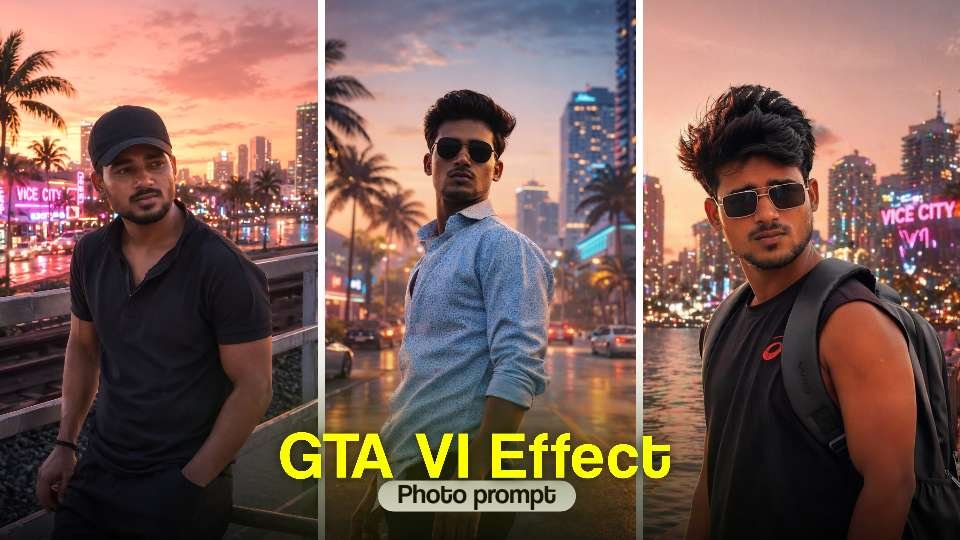
hey guys my name is gaurav Solanki (mkeditor) i have a given by devil chatgpt prompt photo editing for just photo editing So friends, since AI-generated images with ChatGPT and Google gemini aesthetic photo editing are trending on social media right now, we thought—why not make this new Tranding couple photo even more special? That’s why we’ve brought you a collection of AI photo prompts for romantic.In this post, you’ll find the best ChatGPT prompts for blue elegant photo editing. With the help of these prompts, you can easily create highly detailed, cinematic-quality festival photos featuring your own face.
How to Create a Devil Photo for Free with ChatGPT
Step 1: Open ChatGPT
First, open ChatGPT and google gemini (free or pro version). If you have access to image generation features, you can directly create photos using AI prompts.
Step 2: Write the Prompt
The magic lies in the prompt. A prompt is a text instruction you give to ChatGPT to.
Step 3: Generate the Photo
After entering the prompt, ChatGPT (or a connected image generator) will create your Ganesh Utsav photo within seconds. If you don’t like the first result, just tweak your prompt and try again.
Step 4: Save and Share
Once you get the perfect festive photo, download it to your device. You can now share it on WhatsApp, Instagram, or Facebook, or even print it as a poster for Ganesh Chaturthi celebrations.
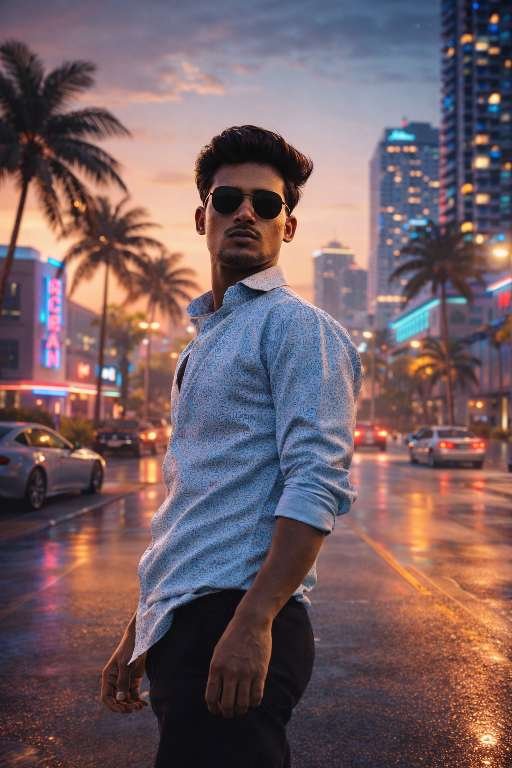
Copy prompt 👇
Transform this image into a modern Grand Theft Auto VI-inspired visual style.Preserve the original composition, subject identity, pose, and facial features, but enhance it with a highly polished, next-gen video game aesthetic.Apply:- Ultra-realistic rendering with cinematic lighting- High dynamic range (HDR), realistic shadows and reflections- Detailed skin textures and natural imperfections (not cartoonish)- Subtle stylization inspired by GTA VI character design (modern, grounded, semi-realistic – NOT exaggerated or comic-like)- Vibrant but controlled color grading (Miami/Vice City-inspired tones, warm highlights, teal shadows)- Depth of field and environmental atmosphere for immersion- Clean, sharp focus with AAA video game qualityEnvironment:- If applicable, enhance background to feel like a living open-world city (modern Vice City vibe: neon lights, palm trees, urban luxury, night glow or sunset lighting)Important constraints:- Do NOT convert into cartoon, comic, or GTA V-style illustration- Avoid thick outlines or exaggerated proportions- Maintain realism with subtle stylization only- Keep the subject recognizable and authenticFinal result:A cinematic, next-generation GTA VI-style render that looks like a character from a modern AAA open-world game.
Conclusion
In this article, I have explained the trending Chat Gpt Prompt aesthetic Style Photo Editing technique step by step. Along with the complete process, I have also provided a powerful prompt that allows you to create a transformation style image instantly. With just one click, you can generate high-quality results. I hope you found this article informative and useful. Thanks for visiting my website