
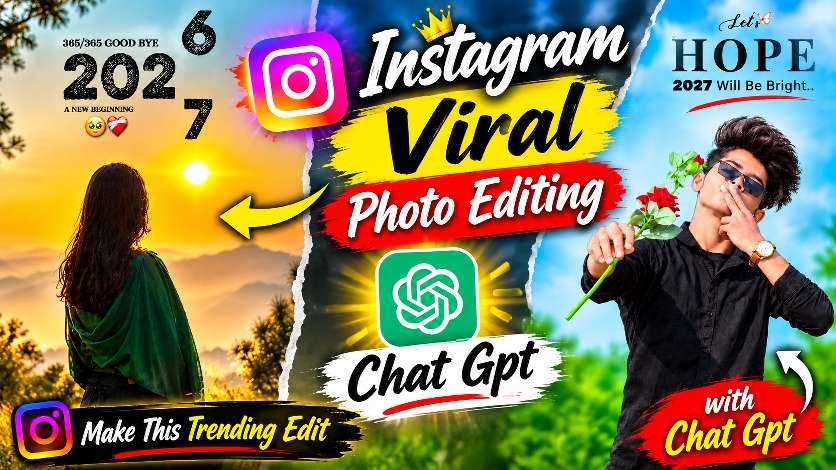
Instagram is full of creative photo editing trends, and one of the most eye-catching styles is the 2027 Hope Photo Editing trend. This aesthetic combines emotional sunset photography, stylish portraits, beautiful typography, and cinematic colours to create an attractive social media post.The trend features two different photo styles: a peaceful sunset scene with a person looking towards the mountains and a stylish portrait with a rose, sunglasses, and a bright blue background. Both images create a beautiful contrast between saying goodbye to the past and welcoming a new beginning.With the help of ChatGPT and AI photo editing tools, you can create a similar Instagram viral photo editing look using your own pictures.
What Is Instagram Viral 2027 Photo Editing?
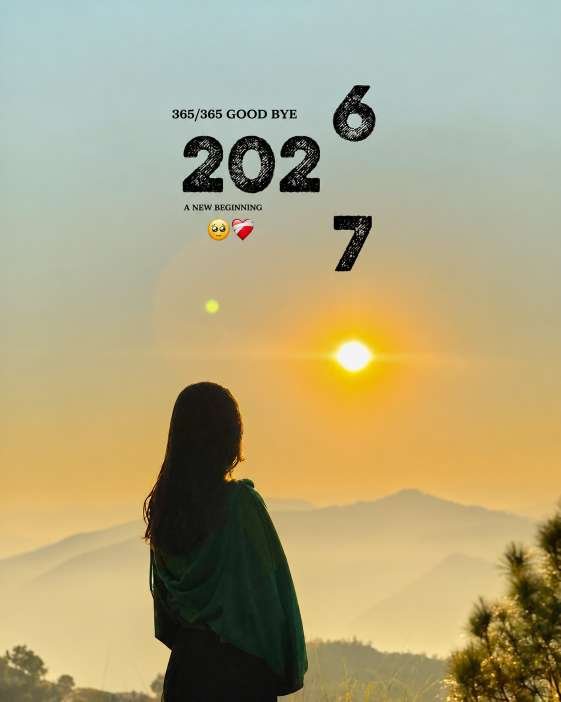
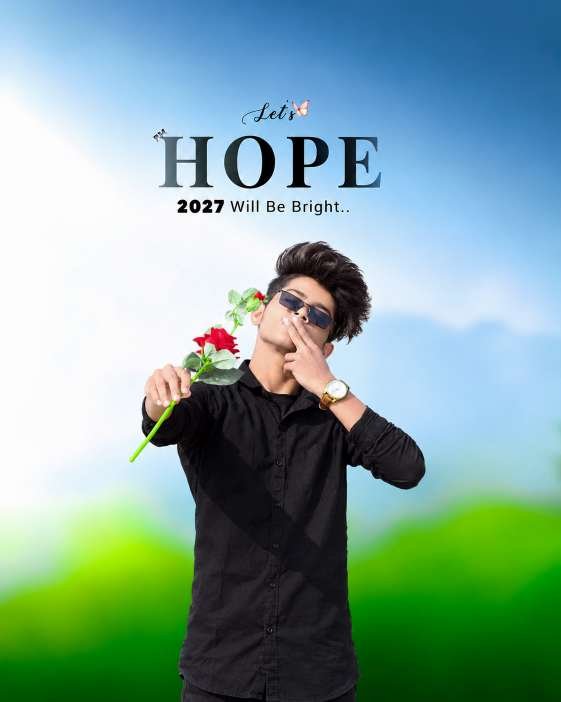
The 2027 Hope Photo Editing trend is inspired by the idea of leaving the past behind and starting a new chapter of life. It uses emotional backgrounds, creative portrait photography, and meaningful text to express hope for the future.The first style features a sunset background, mountains, and a person standing with their back towards the camera. Text such as “365/365 Good Bye” and “A New Beginning” adds an emotional feeling to the image.The second style features a stylish portrait with a rose and sunglasses. The text “Let’s Hope 2027 Will Be Bright” gives the photo a positive and motivational message.This combination makes the editing style suitable for Instagram Reels covers, profile pictures, year-end posts, and New Year photo edits.
Why This Photo Editing Trend Looks So Attractive
One of the main reasons this editing style looks attractive is its simple but emotional concept. Instead of using too many effects, it focuses on the subject, background, lighting, and typography.The sunset photo uses warm golden colours, soft mountain layers, and a beautiful sun flare. These elements create a peaceful and cinematic atmosphere.The portrait photo uses a bright blue sky, green background, and a stylish pose with a rose. The contrast between blue and green makes the subject stand out naturally.Creative text placement is another important feature. Large typography, small handwritten text, and meaningful captions give the photos a professional Instagram editing look.
How to Make Instagram Viral Photo Editing with ChatGPT
You can create this trending photo editing style using your own portrait and an AI image editing tool.
Follow these simple steps:
- Open ChatGPT on your mobile phone.
- Upload your original photo that you want to edit.
- Explain the photo editing style you want to create.
- Ask ChatGPT to create a cinematic sunset or stylish portrait background.
- Mention the text you want to add, such as “2027 Will Be Bright” or “A New Beginning”
- .Generate the edited image and check the final result.
For the sunset version, choose a photo where your face is not directly visible or where you are looking away from the camera. For the stylish portrait version, a full-body or half-body photo with a clear pose can work well.You can also use an AI photo editing application that supports background replacement, portrait editing, and text-based image generation.
Best Photo Ideas for This Instagram Editing Style
There are several ways to create your own version of this trend.For an emotional photo, use a sunset background with mountains and a person standing quietly. Add a dark silhouette effect and warm golden lighting.For a stylish photo, use a black shirt, sunglasses, and a rose. A bright blue sky and green background can make the portrait look fresh and attractive.You can also create a couple photo editing version, a best friend photo, or a solo portrait with a New Year theme.Try to keep the original face, hairstyle, skin tone, and natural appearance unchanged when editing your photo. This helps the final image look more realistic and personal.
Tips to Make Your Photo Look More Viral on Instagram
To make your photo more attractive on Instagram, focus on the overall composition and quality.Use a high-resolution original photo and avoid excessive filters. Keep the text short and readable so that people can understand the message quickly.Choose a background that matches the mood of your photo. Warm sunset colours work well for emotional edits, while blue and green colours are suitable for stylish portraits.You can also turn your edited photo into a short Instagram Reel by adding a slow zoom effect, smooth transitions, and emotional background music.
Final Thoughts
Instagram Viral Photo Editing with ChatGPT is a creative way to transform ordinary pictures into beautiful and meaningful portraits. The 2027 Hope Photo Editing style combines emotional sunset scenes, stylish portraits, cinematic colours, and motivational text to create a unique social media look.Whether you want to create a sunset silhouette photo or a stylish rose portrait, this editing trend offers plenty of creative possibilities. You can use your own photo, experiment with different backgrounds, and create a personalized image for Instagram.Try this trending photo editing style and welcome 2027 with a fresh look, a positive mindset, and a beautiful new beginning.