
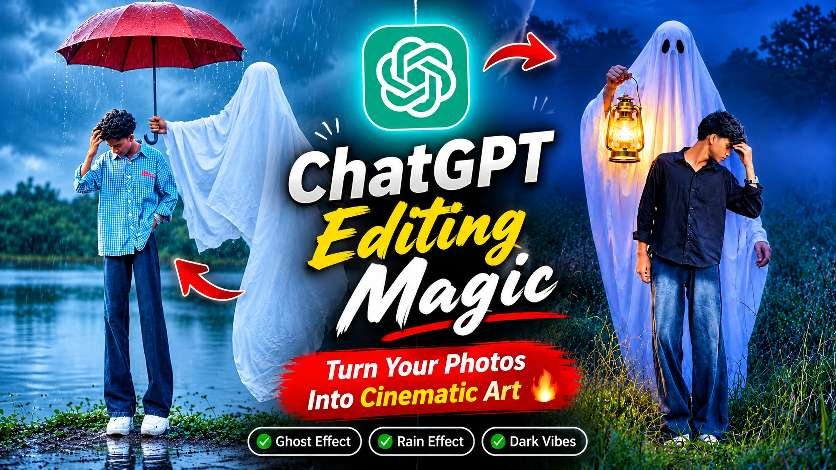
AI photo editing is becoming increasingly popular on social media, and one of the latest creative trends is Ghost Photo Editing. With the help of ChatGPT and AI image editing tools, you can transform an ordinary photograph into a mysterious, cinematic horror-style image. From a ghost holding a red umbrella in heavy rain to a spooky ghost standing behind you with a glowing lantern, these creative edits can make your photos look like scenes from a horror movie.In this guide, we will explore how to create stunning Ghost Photo Editing effects using ChatGPT, including ghost effects, rainy backgrounds, dark cinematic lighting, and realistic horror-style transformations.
What Is ChatGPT Ghost Photo Editing?
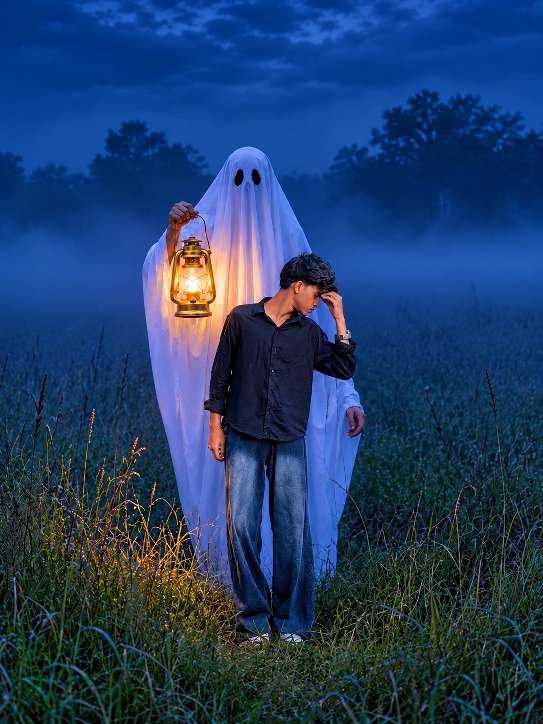
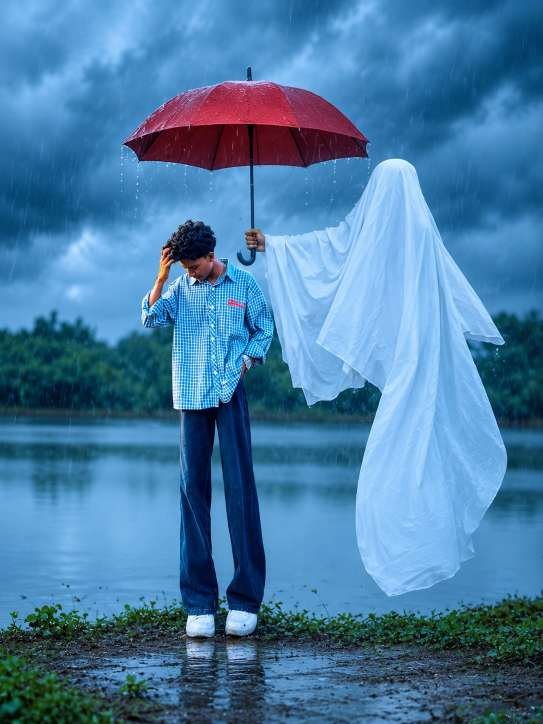
ChatGPT Ghost Photo Editing is a creative AI editing technique that transforms normal photographs into mysterious and horror-inspired cinematic images. Instead of manually adding different effects in complicated editing applications, you can use AI tools to create imaginative scenes with realistic details.For example, you can transform your photograph into a rainy outdoor scene where a mysterious white ghost holds a red umbrella above your head. Another creative idea is to place a ghost behind you in a dark field while holding a glowing vintage lantern.These effects are becoming attractive for Instagram creators because they combine storytelling, creativity, and cinematic photography styles. You can experiment with different ghost appearances, lighting effects, backgrounds, and atmospheric details to create something unique.
Create a Realistic Ghost Umbrella Effect
One of the most eye-catching ideas in this editing trend is the Ghost Umbrella Effect. Imagine standing beside a lake during heavy rainfall while a mysterious ghost covered in a white sheet holds a beautiful red umbrella above you.The combination of dark storm clouds, falling raindrops, and a bright red umbrella creates a dramatic visual contrast. The ghost should look mysterious rather than cartoonish, with realistic white fabric, natural folds, and believable shadows.To achieve a better result, use a clear personal photograph as your reference image. Choose a full-body photo with good lighting and visible facial details. AI editing tools can then help transform the surroundings whilemaintaining the overall appearance of the original subject.
Create a Scary Ghost Lantern Photo Effect
Another exciting concept is the Ghost Lantern Effect. This style creates a mysterious nighttime atmosphere with a ghost standing behind the main subject and holding a glowing vintage lantern.The warm orange light from the lantern contrasts beautifully with the deep blue nighttime background. Adding fog, tall grass, dark trees, and cinematic shadows can make the final image look like a scene from a supernatural movie.For the best visual appearance, focus on realistic lighting and natural subject placement. The lantern should illuminate nearby objects and create subtle warm highlights on the surrounding white fabric.This editing style is especially suitable for Instagram Reels covers, horror-themed posts, creative profile pictures, and Halloween photography.
How to Create Ghost Photos Using ChatGPT
Creating AI ghost photos is easier than traditional photo manipulation. You do not necessarily need advanced Photoshop knowledge or professional editing experience.
Follow these simple steps:
- Open ChatGPT on your smartphone or computer.
- Upload a clear photograph that you want to transform.
- Describe the ghost effect and cinematic background you want to create.
- Mention important details such as lighting, weather, ghost appearance, and camera angle.
- Ask ChatGPT to create or edit the image using its available image-generation capabilities.
- Review the generated result and make additional changes if necessary.
- Save your final image and share it on your favourite social media platform.
For more realistic results, provide clear instructions about preserving your original facial identity, hairstyle, clothing, and body proportions. You can also experiment with different environments, such as rainy lakesides, abandoned roads, dark forests, and mysterious fields.
Best Tips for Realistic Cinematic Ghost Editing
If you want your AI-generated ghost photographs to look professional, paying attention to small details is important. A good editing result should look like a real photograph rather than an artificial digital composition.
Here are some useful tips:
.Preserve Facial Identity:
blue tones create a mysterious nighttime atmosphere.
Use Cinematic Blue Lighting:
Dark blue tones create a mysterious nighttime atmosphere
.Add Realistic Rain:
Natural raindrops and wet surfaces make rainy ghost scenes more believable.
Focus on Lighting:
Use warm lantern lighting against cool blue backgrounds for dramatic contrast
.Maintain Natural Shadows:
Ghosts and other objects should have realistic shadows and proper positioning.
Choose High-Quality Photos:
Clear reference images generally provide better editing results.
Final Thoughts
ChatGPT Ghost Photo Editing is a fun and creative way to transform ordinary photographs into extraordinary cinematic horror-style images. Whether you prefer a mysterious ghost holding a red umbrella in the rain or a spooky lantern effect in a dark field, AI editing gives you many opportunities to experiment with imaginative photography.The best part is that you do not need professional photo manipulation skills to get started. With a good reference photograph, clear editing instructions, and a little creativity, you can create eye-catching images for Instagram, Facebook, and other social media platforms.Try different ghost effects, experiment with cinematic lighting, and create your own unique horror-inspired photography style. If you enjoy AI photo editing trends, keep exploring new creative ideas with ChatGPT and turn your everyday photographs into stunning visual stories.