
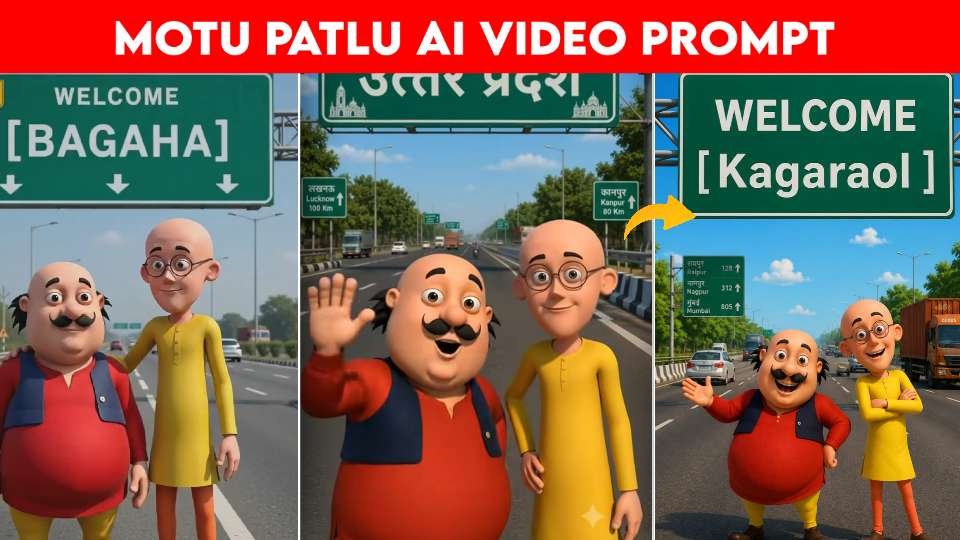
AI-generated cartoon videos are becoming one of the fastest-growing content categories on YouTube Shorts, Instagram Reels, One popular trend is creating Motu Patlu-style highway welcome videos where the characters stand beneath a personalized Indian highway welcome sign. Using ChatGPT for image generation and Flow AI for animation, you can create professional-looking videos with minimal editing. This workflow is simple, customizable, and ideal for creators who want to produce engaging content consistently.
Create the Perfect Image with ChatGPT
The first step is generating a high-quality image using ChatGPT. Write a detailed prompt that describes a modern Indian expressway with realistic roads, moving vehicles, green trees, blue skies, and a large green highway welcome billboard. Place Motu and Patlu below the sign with cheerful expressions while maintaining their classic cartoon appearance. Replace the location name on the welcome board with any village, town, or city to personalize the image. Adding cinematic lighting, vibrant colors, ultra-detailed quality, and a vertical 9:16 format ensures the image is ready for short-form video content.
Animate the Image Using Flow AI
After generating the image, upload it to Flow AI for animation. Apply smooth camera movement such as a slow zoom or cinematic pan to make the scene feel dynamic. Add natural character animations including waving, smiling, blinking, or slight body movement. Background elements like passing vehicles, moving clouds, and gently swaying trees create a realistic environment while keeping the characters as the main focus. These subtle effects transform a static image into an engaging animated video.
Customize Every Video for Better Engagement
One of the biggest advantages of this workflow is personalization. By changing only the location name on the highway welcome sign, you can create unlimited variations for different villages, cities, or states. Viewers enjoy seeing familiar places featured in creative AI content, making them more likely to share and comment on your videos. Keeping the same character design and visual style across every project also helps build a recognizable brand for your content.
Final Tips for Creating Viral AI Videos
To achieve the best results, use consistent prompts, maintain the original character style, and keep the animation smooth rather than overly dramatic. Add suitable background music and simple sound effects to enhance the viewing experience. Export the video in high quality and optimize it for vertical viewing on social media platforms. By combining ChatGPT for image creation and Flow AI for animation, you can produce eye-catching Motu Patlu highway welcome videos that attract viewers and help grow your audience.
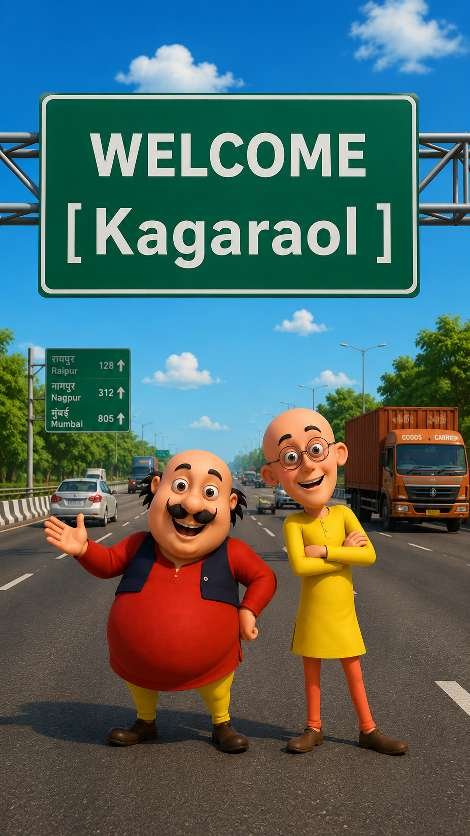
Video prompt ⬇️
Final Thoughts
Creating Motu Patlu-style highway welcome videos with ChatGPT and Flow AI is an easy and effective way to produce engaging AI content for social media. By generating a detailed image in ChatGPT and animating it with smooth camera movements and realistic effects in Flow AI, you can create professional-looking videos without advanced editing skills. Personalizing the welcome sign with different village, town, or city names makes every video unique and increases its appeal to viewers. With consistent character design, high-quality prompts, and creative animations, this workflow allows content creators to produce eye-catching videos that have the potential to reach a wider audience and build a strong presence across platforms like YouTube Shorts, Instagram Reels.