
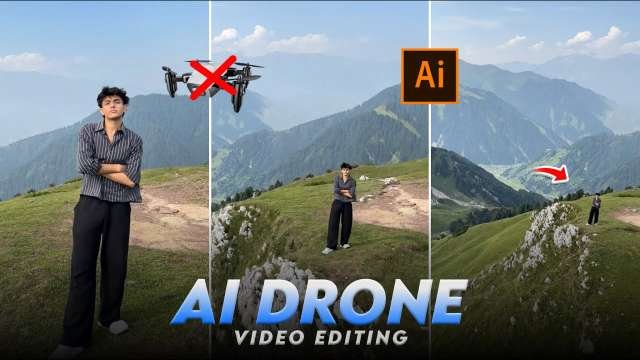
If you’ve ever wanted to shoot cinematic, drone-style videos but don’t have a drone, here’s some good news — you don’t need one! In this guide, I’ll show you one of the simplest and most effective ways to capture videos that look just like they were filmed with a drone.Forget about investing thousands in expensive drone cameras. With this easy trick, you can produce smooth, aerial-style shots using just your smartphone or any regular camera. The best part? It’s completely free!Follow the step-by-step instructions below to learn how to create stunning drone-like clips in different styles and angles. Make sure you read till the end so you don’t miss any important tips or techniques.
Transform a Normal Photo into a Stunning Drone Shot Video
Step 1: Open the Website
flow google lab
Step 2: Sign in with Google
Click “Sign in” or “Get Started”.Use your Google Account (Gmail ID) to log in.Allow all the necessary permissions.
Step 3: Access Flow Dashboard
After logging in, you’ll see the Flow Dashboard.Here you can:Upload your photos or videosChoose different AI effectsEdit and download your result.
How to Create a Drone-Style Video (Using a Normal Picture)
Step 1: Upload Your Photo
Click “Upload”
Select a normal photo (best results if it’s an outdoor or landscape image).
Step 2: Choose a Drone Effect
In the “Effects” or “Motion” section, choose one of these:
Top-down Drone Fly
360° Pan Drone
Cinematic Zoom
Aerial Fly-in / Fly-out
These effects create realistic drone movement automatically.
Step 3: Adjust Speed and Angle
You can change:
Drone height
Movement direction (up, down, circular)
Zoom level Video duration
Step 4: Preview the Video
Click “Preview” to see how your video looks.
If needed, adjust the motion or filters.
Step 5: Add Music or Sound Effects (Optional)
Go to Audio tab
Choose Cinematic, Travel, or Drone Fly Sound background music.
Step 6: Export and Download
Once you’re happy with your video, click “Export”Select quality: 720p, 1080p, or 4KClick Download to save the drone-style video to your device.
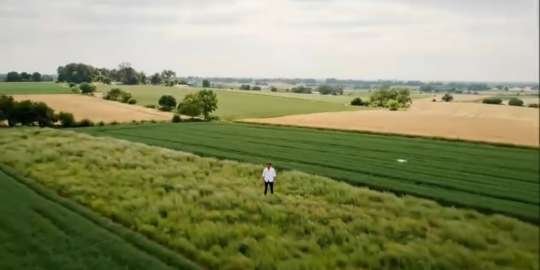
copy prompt ⤵️
Animate this image as a smooth, realistic drone shoot
Pro Tips for Best Results
Use high-resolution photos (minimum 1080p).Outdoor or landscape shots (mountains, roads, sea, city) work best.Keep motion smooth and slow for a cinematic effect.Add AI sky replacement or sunset filters for dramatic results.