
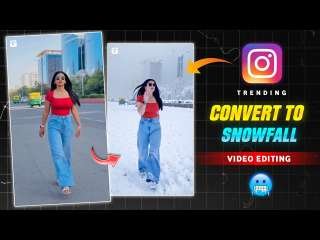
Right now, AI videos with snow effects are one of the hottest trends on social media. Whether it’s Instagram reels, YouTube shorts, or TikTok clips, people love adding a magical snowfall vibe to their videos. The best part is—you don’t need expensive software or pro-level editing skills to create this effect.
With the Edits app, you can easily add realistic snow effects to your videos for free, and the process is super beginner-friendly. In this step-by-step guide, I’ll show you exactly how to create professional-looking snow effect AI videos that will make your content stand out and go viral.
“Free AI Video Editing: How to Make Viral Videos Easily”
“Friends, as you already know, there are plenty of websites on Google for creating AI videos, but most of them require payment. The good news is—you don’t have to spend a single rupee to get started! Today, I’ll show you how to make AI videos completely free. If you’re interested in adding a snow effect, the best option is the Edits app. However, if you want to experiment with different AI video styles, you can use the PixVerse app or website. PixVerse is available on both the Play Store and App Store, and it allows you to create and download AI videos for free with just a few taps.”
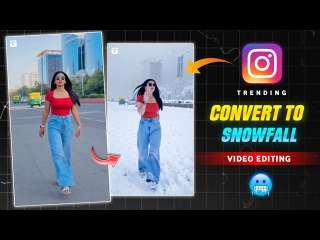
“Step-by-Step Guide: How to Create Snow Effect AI Videos”
Open the Edits app on your phone.
- Tap the “+” icon and choose any video from your gallery that you want to edit.
- Once the video is uploaded, go to the Video Layer option.
- Scroll down and select “Restyle”.
- Wait a few moments while the app processes your video.
- That’s it! Your snow effect AI video will be ready to download and share.
“Final Thoughts”
“Friends, I hope this guide helped you understand how to create Snow Effect AI Videos. If you run into any issues while making your videos, feel free to leave a comment below. You can also check out tutorials on YouTube for more tips and tricks to perfect your Snow AI Videos.”