
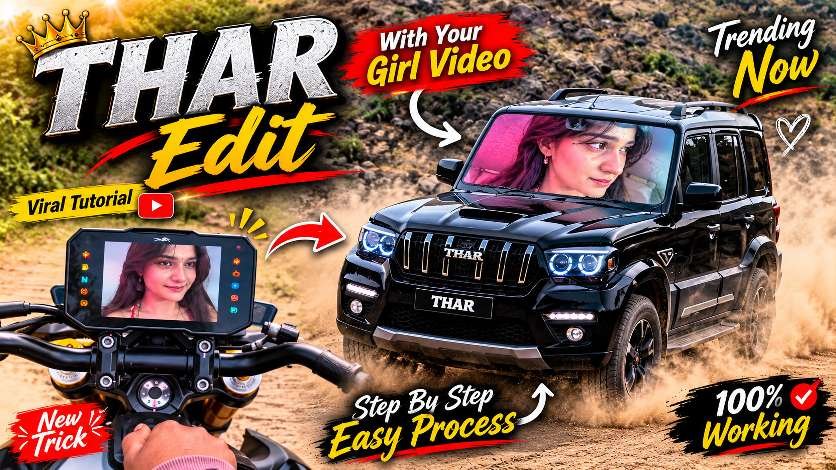
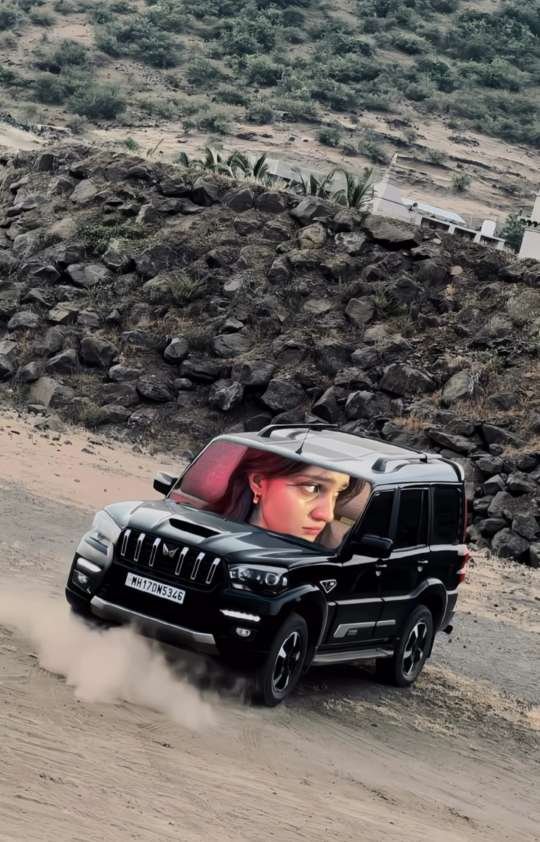
Instagram is full of creative AI editing trends, and one of the latest trending concepts is the Viral Thar Girl Video Editing Trend. This unique effect combines a stylish black Mahindra Thar with a beautiful girl’s portrait displayed inside the front windshield. The result looks like a cinematic video playing directly on the car’s windshield.Many Instagram creators are trying this creative AI effect to make their Reels more attractive and engaging. The best part is that you can create your own version using Google Gemini AI with a personal photo and a reference video. In this article, we will explain how this trending effect works and how you can create it easily.
What Is the Viral Thar Girl Video Editing Trend?
The Thar Girl Video Editing Trend is a creative AI-generated video effect that has gained attention on Instagram. In this editing style, a black Mahindra Thar appears in a cinematic outdoor location, while a girl’s face is displayed inside the front windshield.The most interesting part of this trend is the realistic integration of the girl’s portrait into the vehicle’s windshield. It creates the illusion that a video is playing on the car’s front glass.Creators are using different portraits, cinematic backgrounds and creative camera angles to make their videos unique. This trend is especially interesting for people who enjoy experimenting with AI photo editing and video generation.
Create Your Own Thar Girl AI Video with Google Gemini
Google Gemini AI makes it easier to experiment with creative photo-to-video concepts. You can use a personal portrait and a reference video to create a similar visual effect.First, select a clear portrait photo in which the face is properly visible. Then choose a reference video that shows the Thar windshield effect you want to recreate.Open Google Gemini and access its video generation feature if it is available on your account. Upload your reference materials and describe the visual result you want. The AI can then attempt to recreate the scene using your selected image and reference video.The final result may vary depending on the quality of your uploaded images, reference video and the video generation model.
How to Create the Viral Thar Girl Video Using Google Gemini?
Follow these simple steps:
- Open Google Gemini on your phone.
- Select the video generation feature, if available.
- Upload your girl’s photo.
- Upload the Thar reference video.
- Copy and paste the AI editing prompt provided below.
- Ask Gemini to recreate the same scene while replacing the original girl’s identity with your photo.
- Generate your video and check the final result.
Important Things You Need Before Editing
Before creating this trending AI video, make sure you have the following things ready:
- A clear portrait photo with a visible face.
- A good-quality Thar reference video.
- Access to Google Gemini’s supported video generation feature.
- A stable internet connection.
- Enough time to generate and review your video.
For better results, choose a portrait with natural lighting and avoid blurry images. A high-quality reference video can also help the AI understand the desired composition, vehicle position and windshield effect.
How to Make the Girl Face Look Realistic
One of the most important parts of this editing trend is maintaining the original girl’s facial identity. Sometimes AI video generators slightly change facial features while creating motion.To get a better result, always use a sharp and clear portrait. Make sure the eyes, nose, lips and overall facial structure are visible.You should also pay attention to the windshield placement. The girl’s portrait should look naturally integrated into the front glass instead of appearing like a separate floating image.Small movements such as blinking, slight head movement and natural facial expressions can make the final video look more realistic.
Best Tips to Make Your Thar Girl Reel More Attractive
After generating your AI video, you can improve its overall appearance with a few simple editing techniques.Use a cinematic colour grade to enhance the black Thar and the outdoor background. Add suitable trending music and keep the video duration short enough to maintain viewer interest.Choose an attractive Reel cover with bold text such as “THAR GIRL AI EDIT” or “VIRAL AI VIDEO TREND”. Make sure the main subject is visible even when the cover appears as a small thumbnail.You can also use suitable hashtags to help Instagram users discover your content. Avoid adding too many unnecessary effects because a clean and realistic result often looks more professional.
Final Words
The Viral Thar Girl Video Editing Trend is a creative way to explore the possibilities of AI video generation. With a good portrait, a suitable reference video and Google Gemini AI, you can experiment with this popular visual effect and create your own cinematic version. Try this trending editing idea and share your creation with your Instagram followers!